MDN gets about 2M visits a month from Google in the US, and not one of the searches we sampled used its name.
People search for the thing they're stuck on, like "table element", and MDN has a page for it. It's a library of answers for web developers, written in plain reference pages.
We ran MDN through our whole SEO toolkit to see what makes those pages win, and where even MDN slips.
Here are 9 lessons you can copy, plus the part you can't.
Name each page after the thing
We started with our Organic Traffic Checker. It estimates a site's organic traffic, meaning the people who find it on Google without ads.
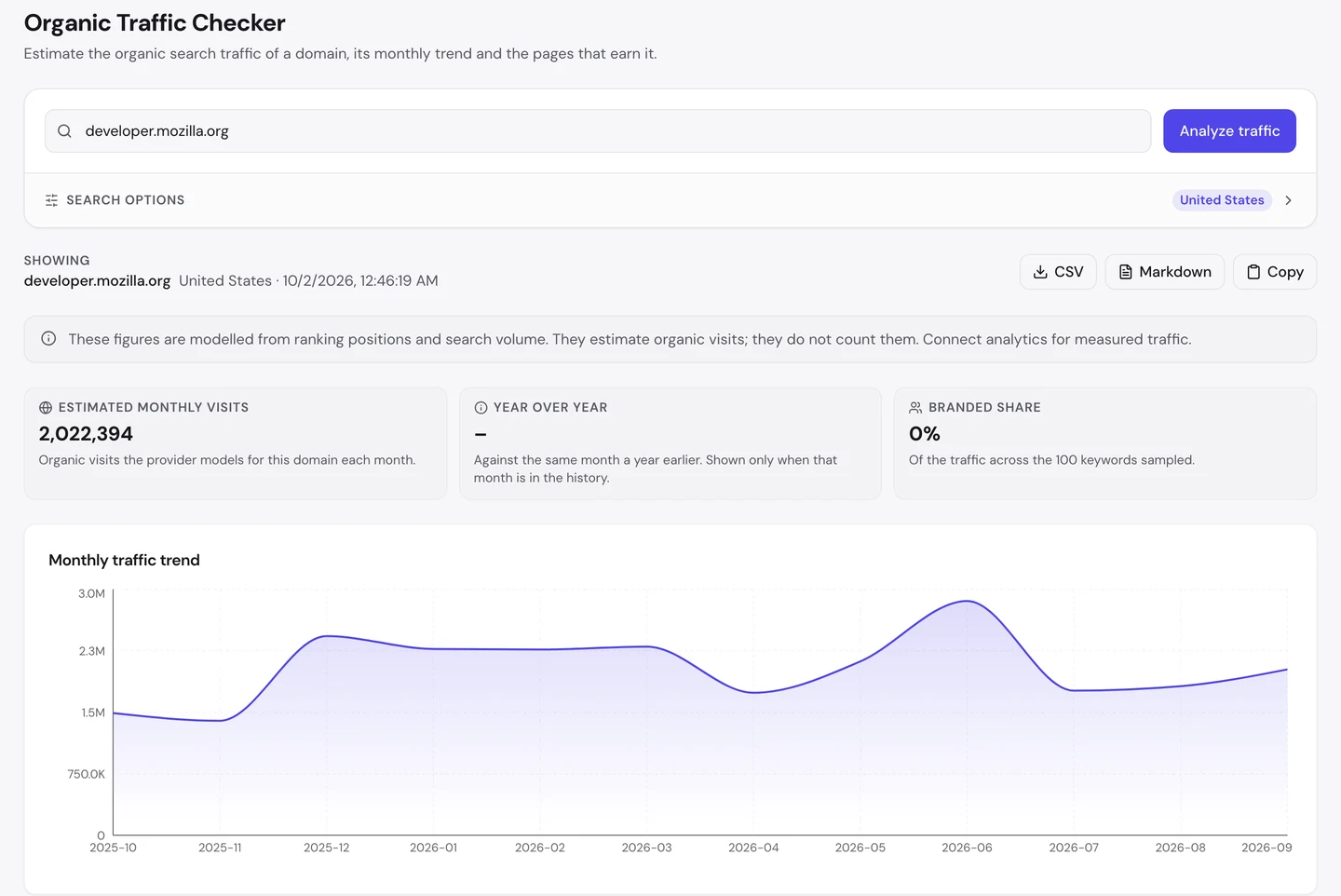
For MDN, that's about 2M visits a month in the US. The chart moves up and down, but it never drops far.
Now look at the branded share. In the searches we sampled, 0% of the traffic came from people typing "MDN" or "Mozilla".
Rotten Tomatoes, which we studied too, has the same 0%. Both win because they have a page named after the exact thing people type.
The Keywords tab of our Website Audit lists every search a site ranks for, where it ranks and how many visits each one sends.
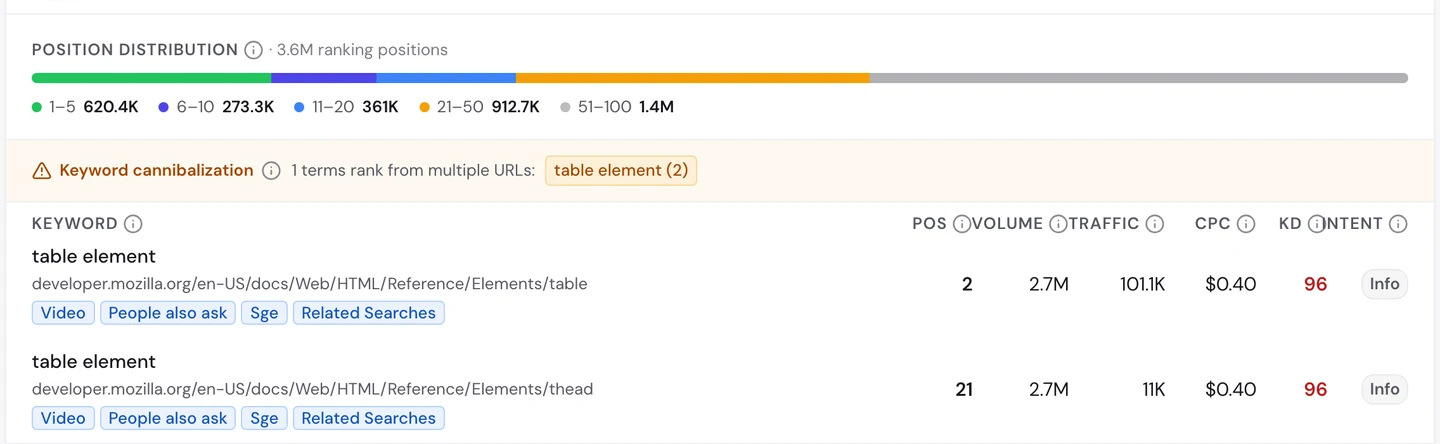
"Table element" is searched about 2.7M times a month. MDN's page about the table element ranks near the top and brings in about 100K visits from that one search.
The page's address even ends in /table. Its title is the name of the thing, and nothing else.
So name each page after the exact thing people search for. Check the words they use with our Keyword Research tool.
Put the answer in the first line
Here's one of MDN's most visited kinds of page, the one for a JavaScript method called map().
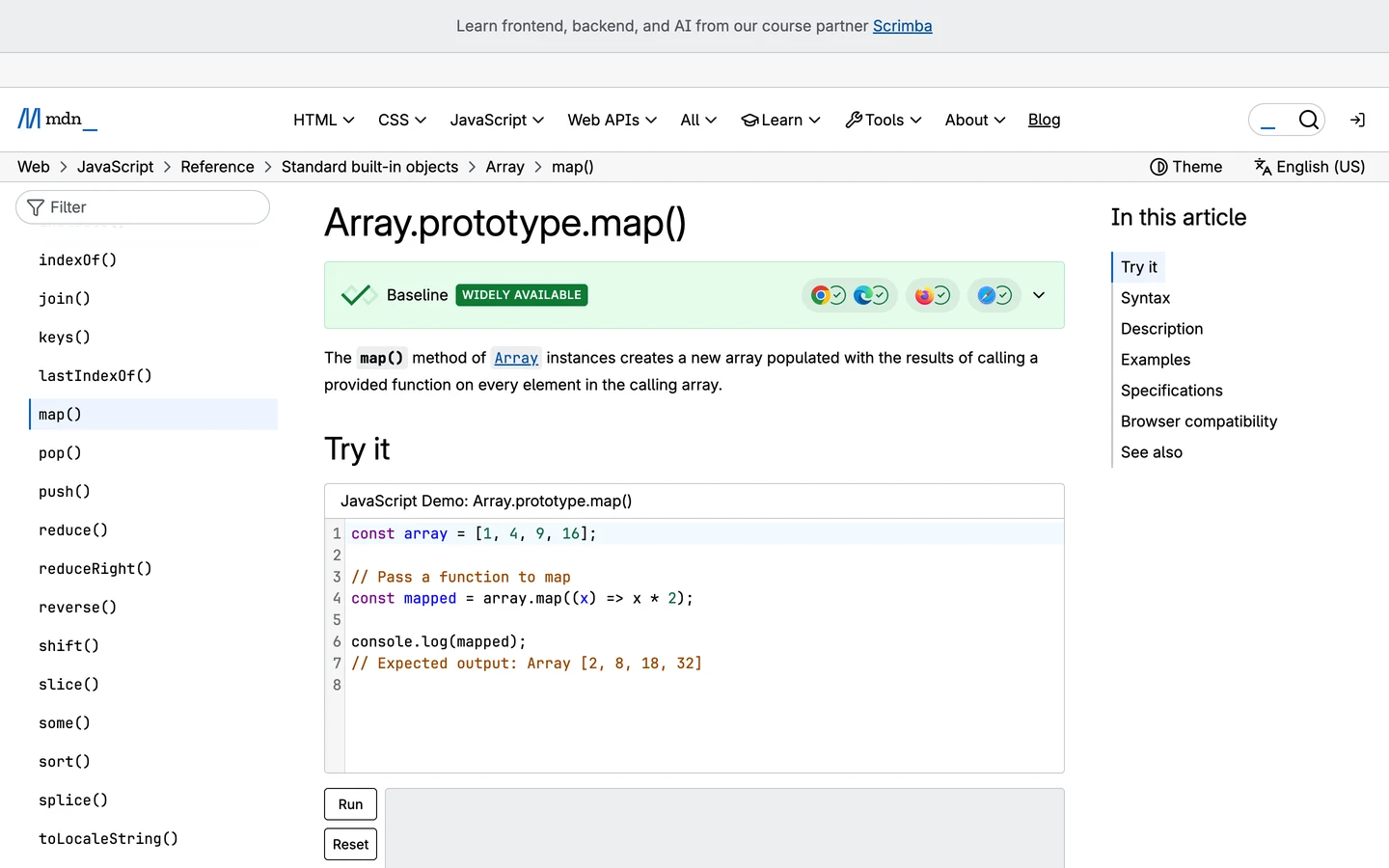
The first sentence tells you what map() does. Right under it is an example you can run and change on the page.
No story and no intro. You came with a question, and the answer is the first thing you read.
Our free browser extension checks how a page is built. Open the page, click the seotools.pro icon, and a panel opens beside it with 35 SEO checks.
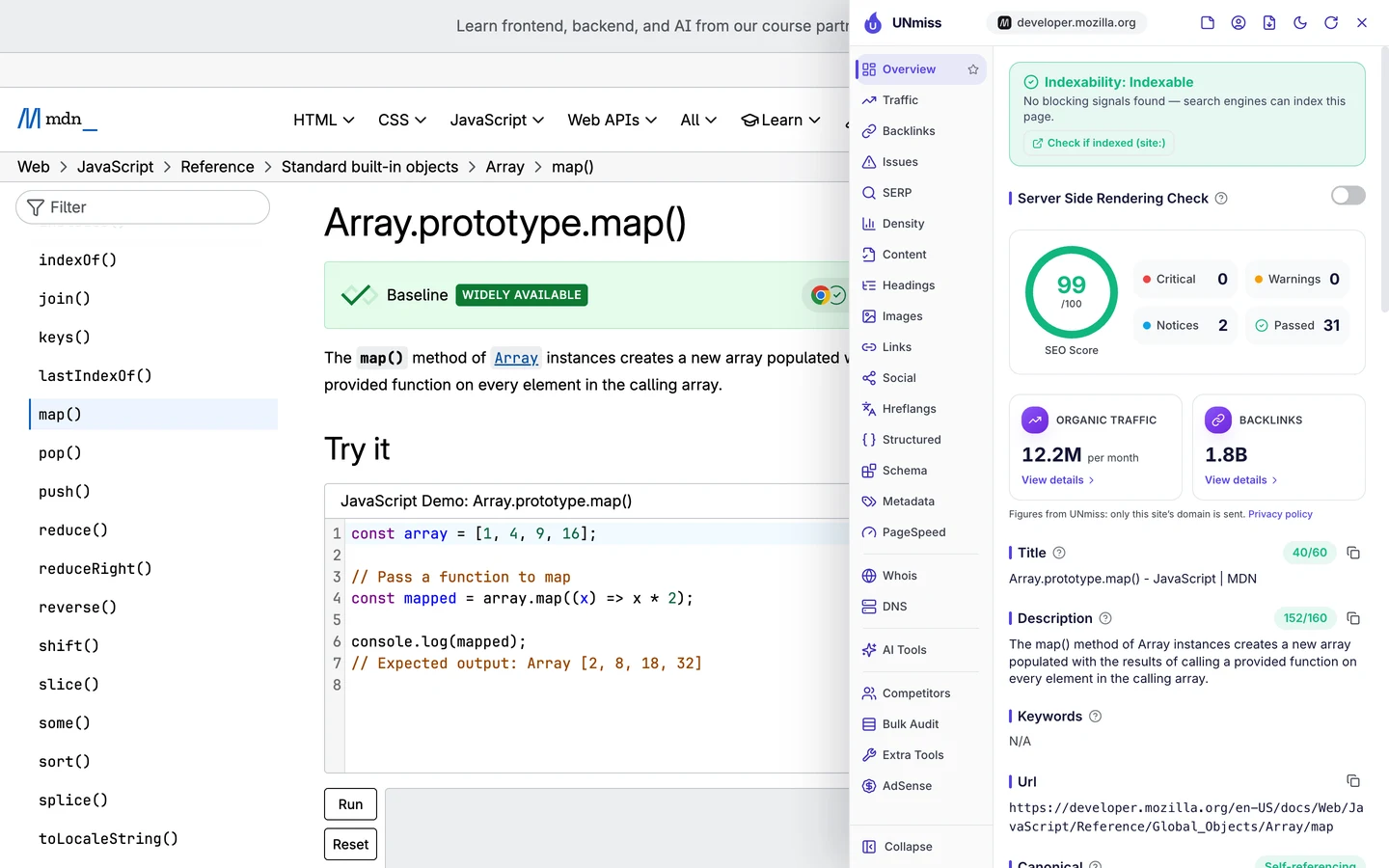
It scores 99 out of 100, almost a perfect score. The title is short, and the description is the same first sentence you just read.
So open every page with the answer in one plain sentence. Then show an example, and only then explain the details.
Show when you last checked it
The extension's Content tab looks at the signs that tell readers a page can be trusted.
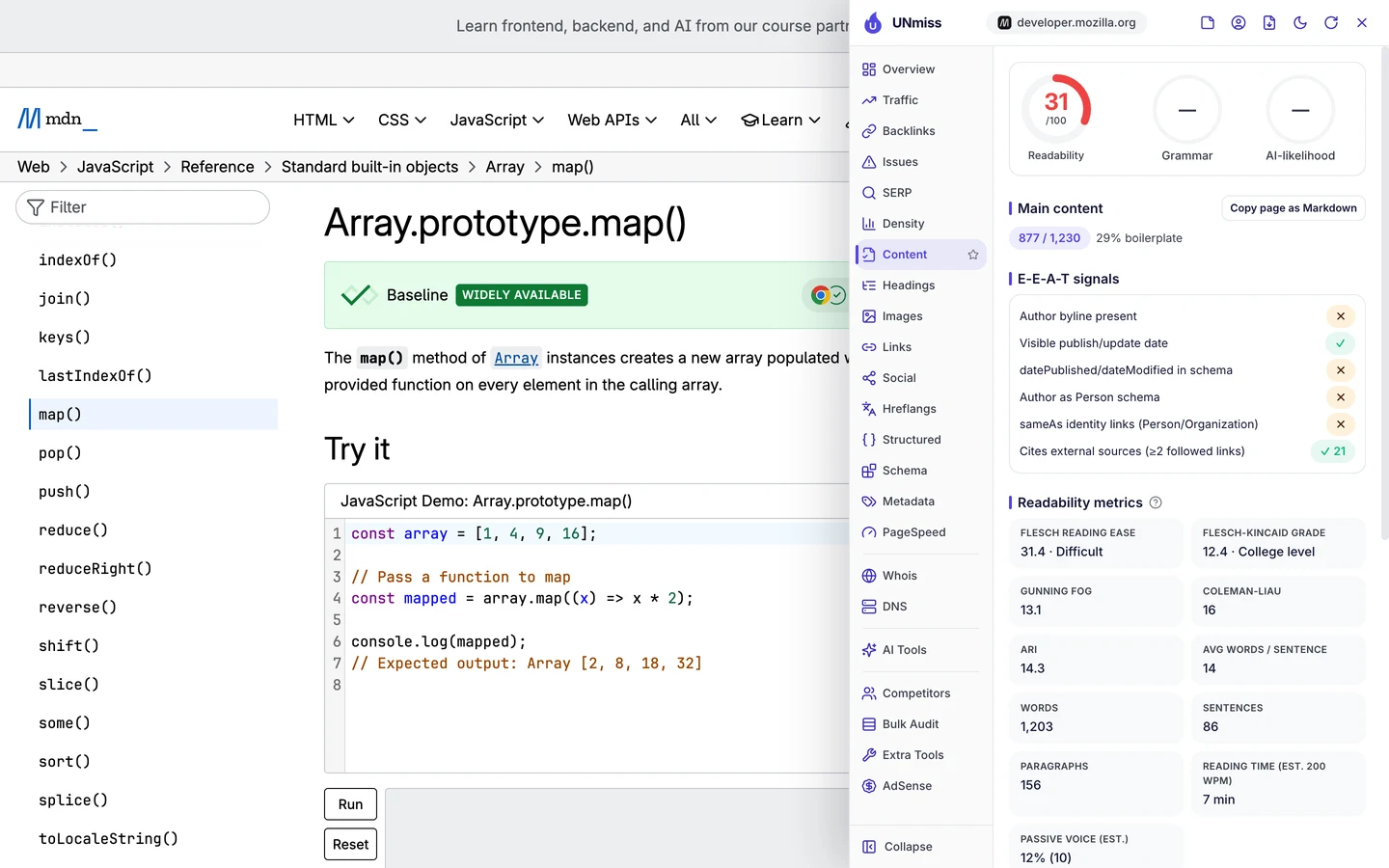
MDN shows when the page was last changed, and it links to 21 outside sources, like the official JavaScript rules. There's no author name, because the pages are written by a community of people.
Anyone can suggest a fix on GitHub, a website where people share and edit code. That's how thousands of pages stay correct.
You might not have a community. But you can still show a date and the sources you checked.
So put a "last updated" date on every page, and link to where your facts come from. It helps readers and Google trust what you say.
MDN wins millions of searches with plain pages that answer one question each. We plan and build help centres, docs and guides like these for your product, so people find your answers before anyone else's.
- We find the exact questions your customers search
- We design one clear template for every answer
- We set up your language versions so Google shows the right one
- SEO and GEO, so AI answers can quote you too
Be the page others link to
A backlink is a link from another website to yours. Google treats each one a bit like a vote of trust.
The Backlinks tab of our audit shows the same data as our Backlink Analyzer.
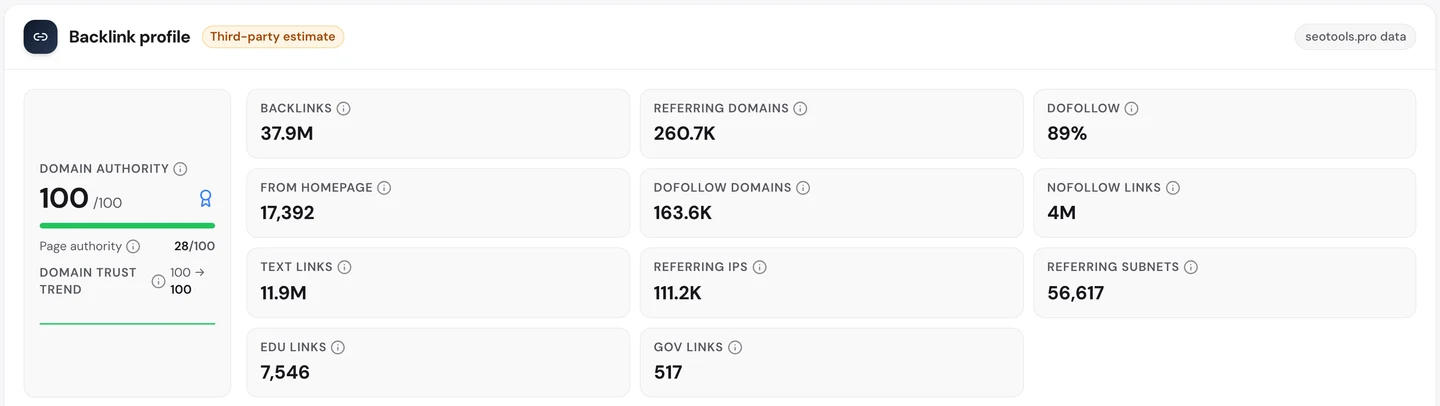
MDN has about 38M links from more than 260K websites. Its Domain Authority, our 0 to 100 score for a site's link strength, is 100.
Nobody bought those links. Developers link to MDN when they explain something in a blog post, a course or an answer, because it's the reference everyone trusts.
So aim to be the page people send their friends to. Write the clearest answer on a topic, and the links will come on their own.
Link your language versions
MDN publishes its pages in 10 languages. Here's the German version of the same map() page.
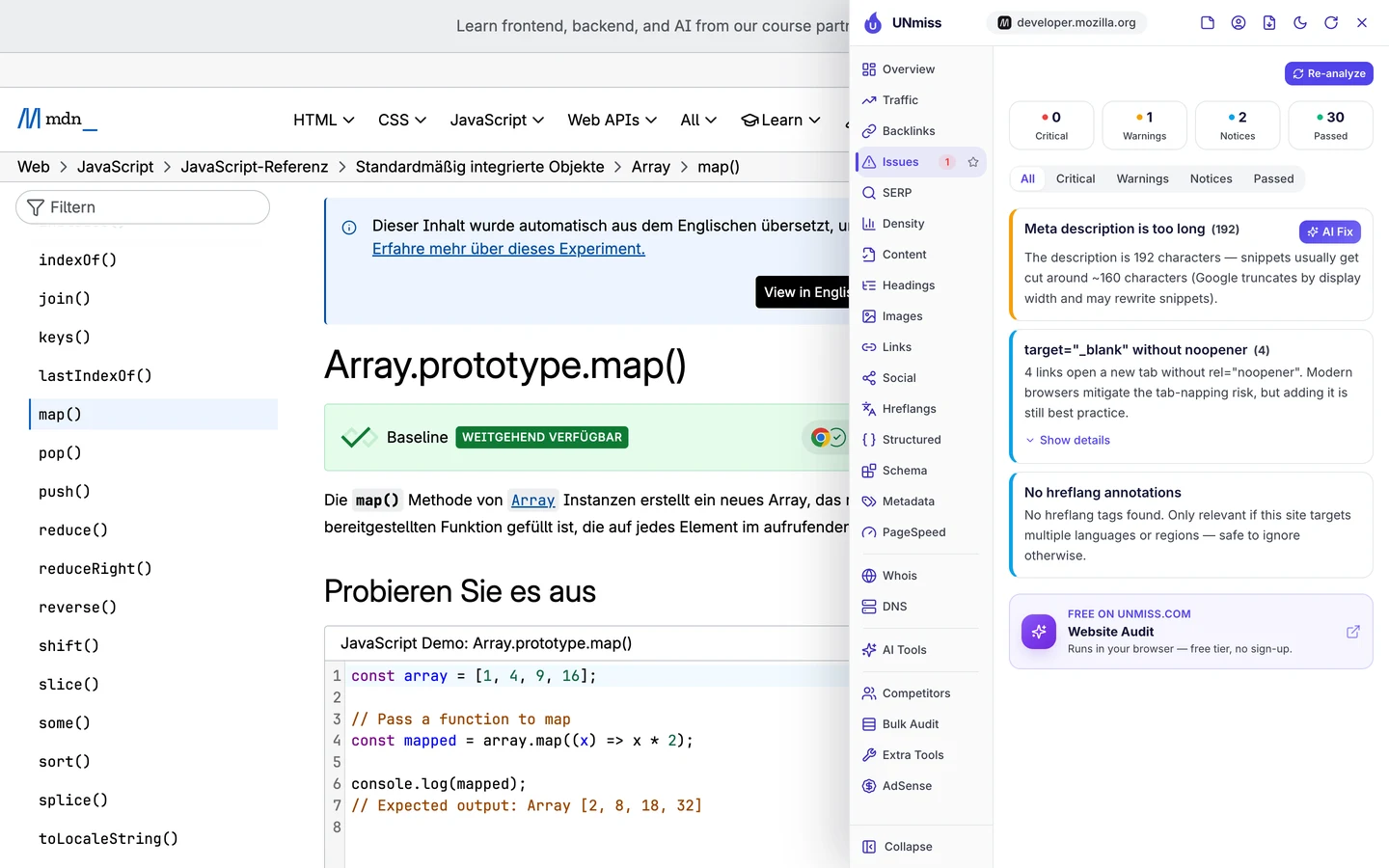
A note at the top says the page was translated automatically from English. The extension also finds no hreflang tags.
Hreflang is a tag that tells Google which language version of a page to show to which visitor. Here's the English page.
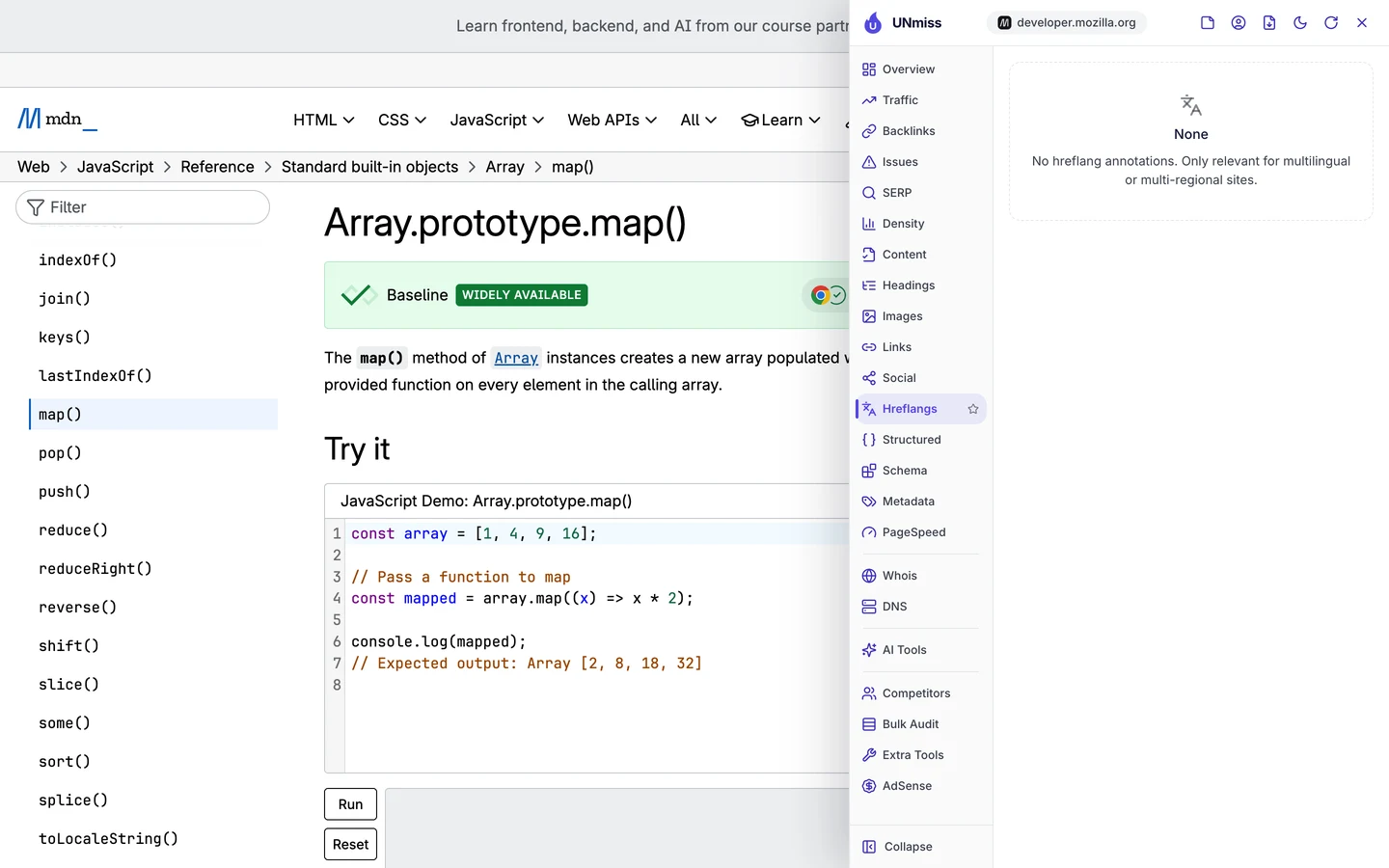
None there either. We also checked MDN's sitemap, the file that lists a site's pages for Google.
There's one for each language, and none of them links the versions together.
That's funny for a site that has a whole page explaining the hreflang attribute. Google has to guess which version to show.
IKEA, whose language setup we studied, puts these links in its sitemaps. Wise puts them on every page.
So if you have pages in more than one language, link the versions to each other, both ways. And read machine translations before you publish them.
Audit every link and title
We checked MDN with our Website Audit. It sends a crawler, a program that visits pages the way Google does, opening each page and following the links to the next ones.
We had it crawl 249 pages. MDN scored 91 out of 100, which the report rates as good.
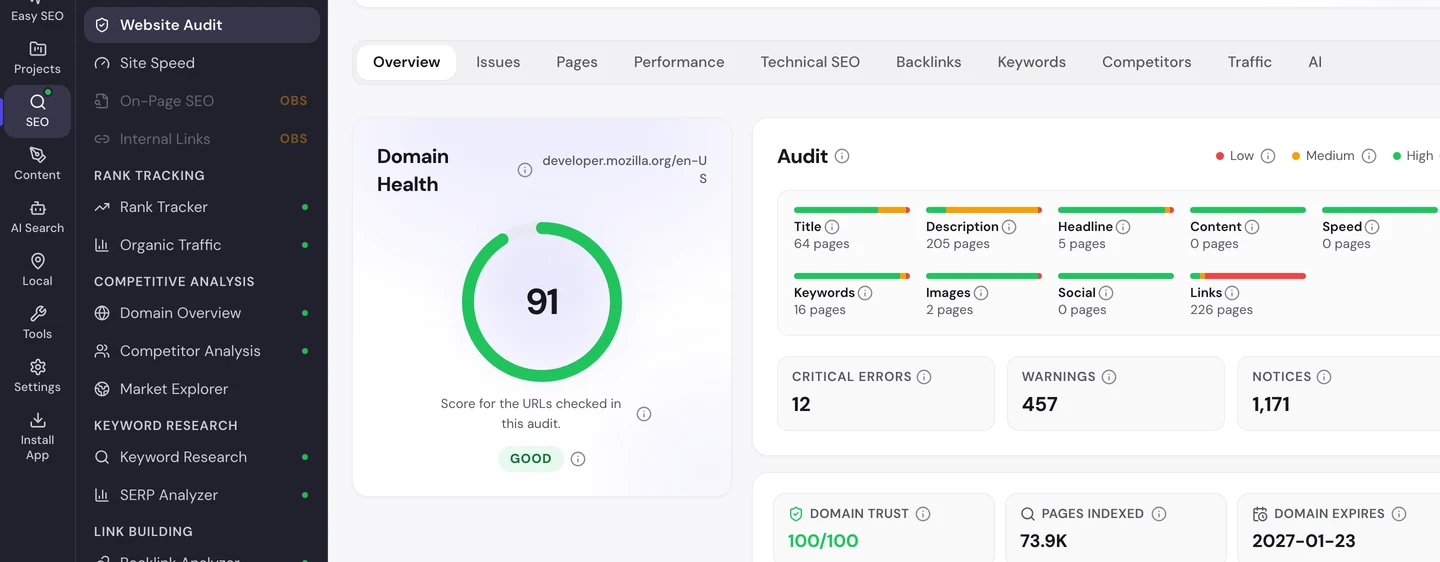
That's one of the best scores we've seen. The Issues tab sorts what's left by how much it matters to you.
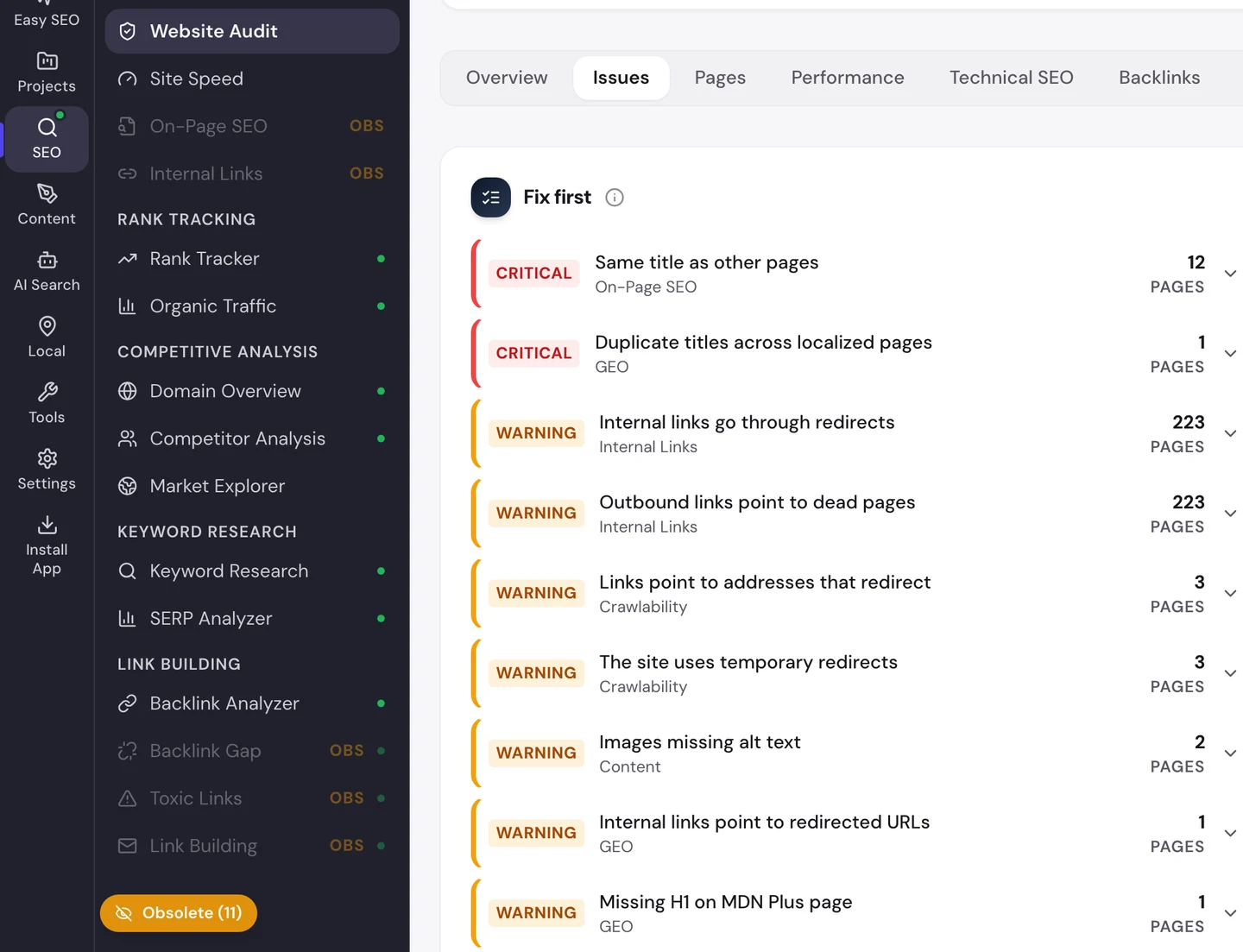
On 223 of the pages, links inside MDN go through redirects, a detour from an old address to a new one. MDN has moved many pages over the years, and old links still point to the old addresses.
The same pages link out to pages that didn't load for our crawler. Some sites block crawlers, so check those links by hand before you remove them.
The Technical SEO tab finds the only real errors.
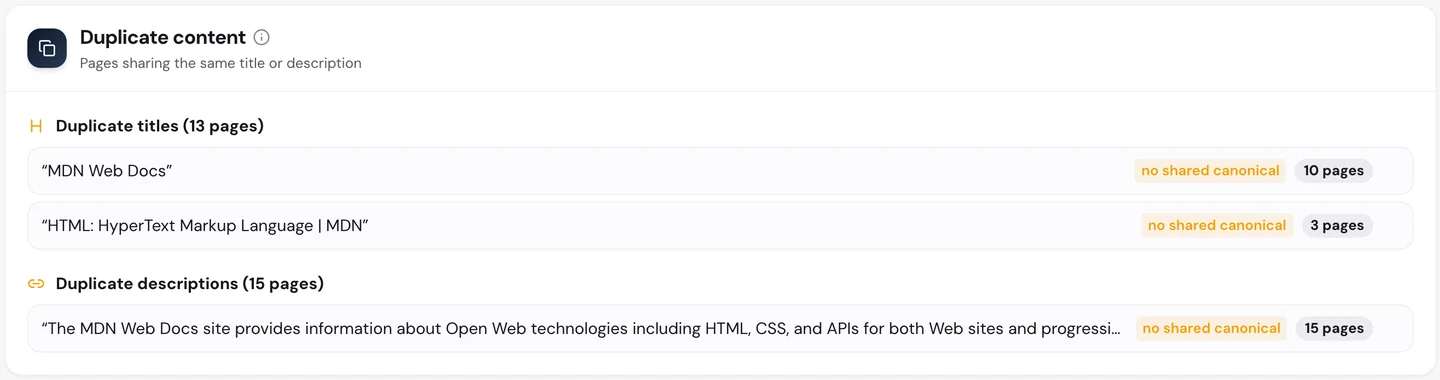
10 pages share the title "MDN Web Docs". The Pages tab shows which ones.
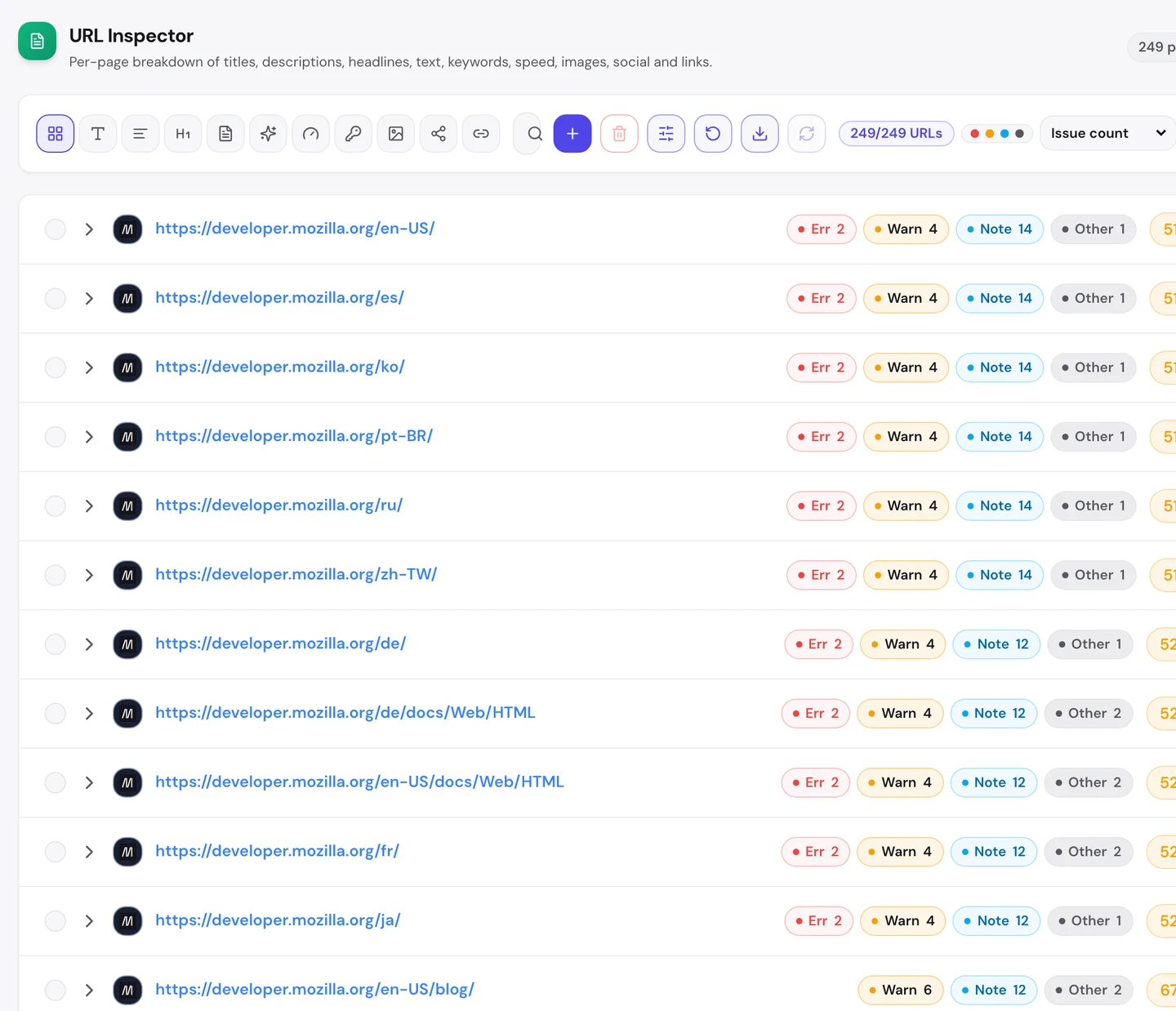
They're the homepages for each language. English, Spanish, Korean and the rest all use the same title, so Google can't tell them apart.
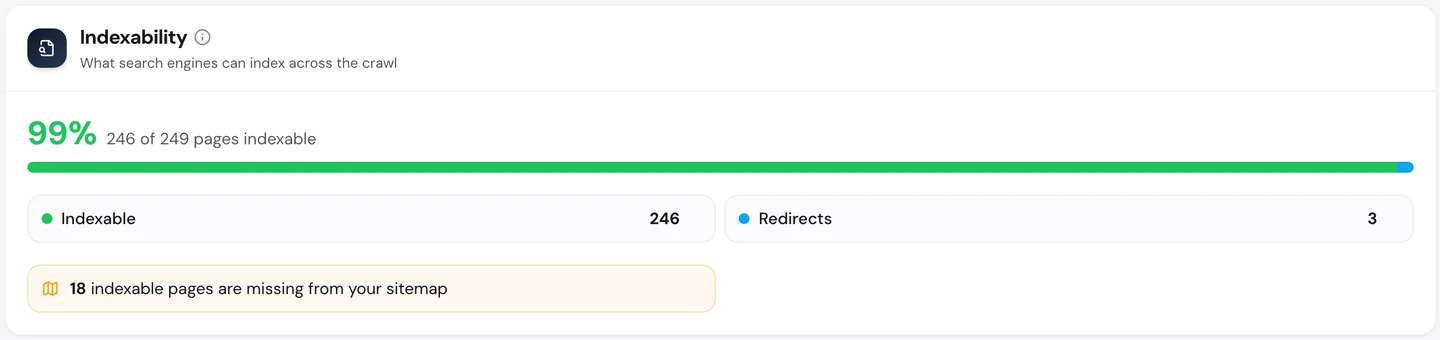
Almost every page can be listed by Google, and only 18 are missing from the sitemap.
You don't have to work out what to fix first. The audit's AI tab writes the plan: a short summary, each problem with how to fix it, and a 90-day to-do list.
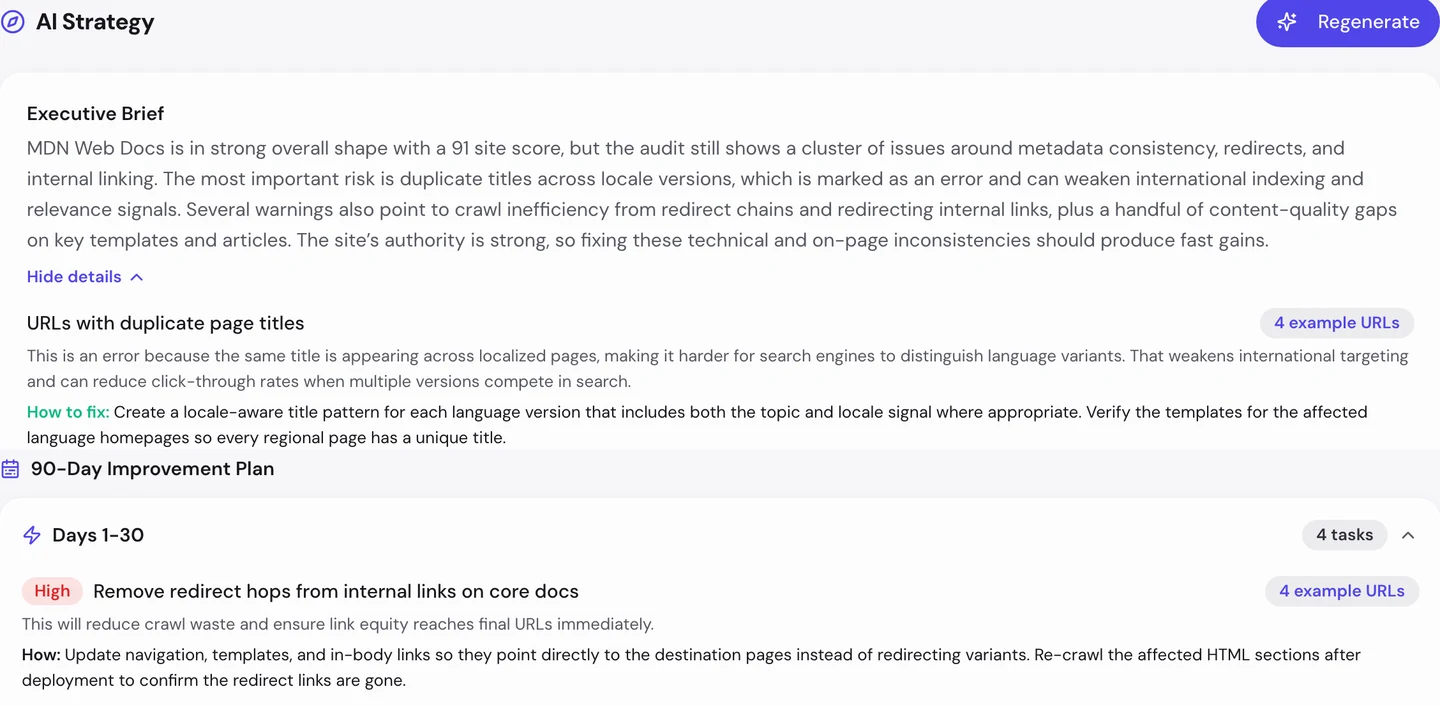
For MDN, the first month goes to the redirect hops in its own links. Then each language homepage gets its own title.
So after you move pages, update your own links to the new addresses. And give every homepage, in every language, a title of its own.
Keep pages as fast as MDN
The Performance tab of the audit shows Core Web Vitals. These are Google's 3 checks of how fast a page loads, how fast it reacts and whether it stays still, measured on real visitors' devices.
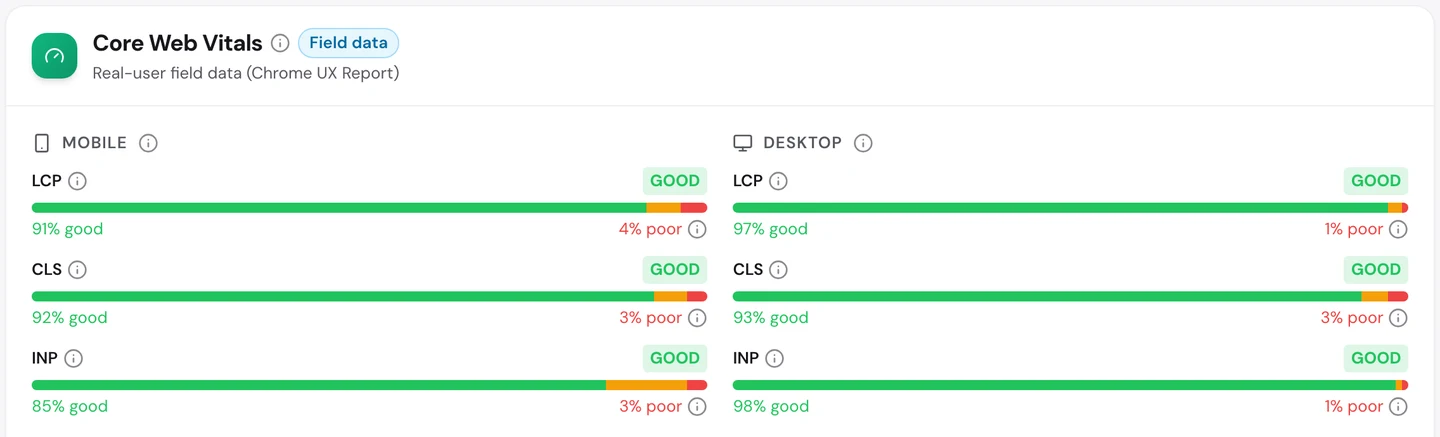
MDN passes all 3 checks on phones and on desktops. On desktops, almost every visit loads quickly and reacts at once.
The pages are mostly text and code. There are few big images, few ads and nothing that jumps around.
You've probably waited on slow pages full of pop-ups. MDN shows you don't need any of that to get millions of visits.
So keep your pages light: text first, small images, no surprises. Our Site Speed tool shows what slows each page down.
Know who teaches the same topics
The audit's Competitors tab lists the sites that rank for the same searches as you.
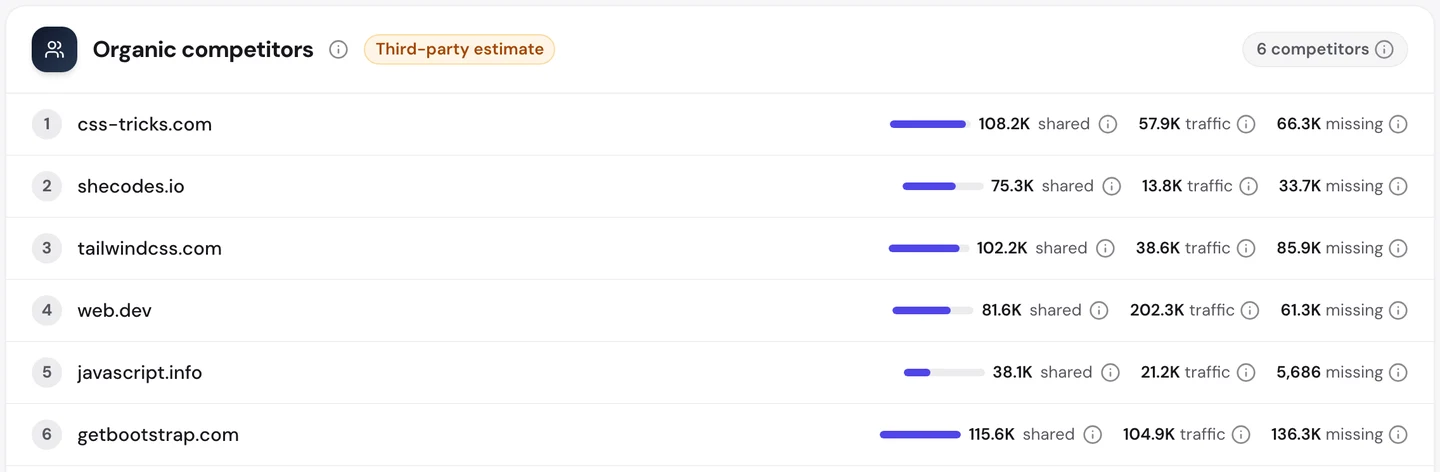
Bootstrap, CSS-Tricks and Tailwind each share more than 100K searches with MDN. web.dev and javascript.info follow.
GeeksforGeeks and freeCodeCamp, which we studied separately, chase the same coding searches with tutorials.
Our Domain Overview shows what that fight looks like underneath.
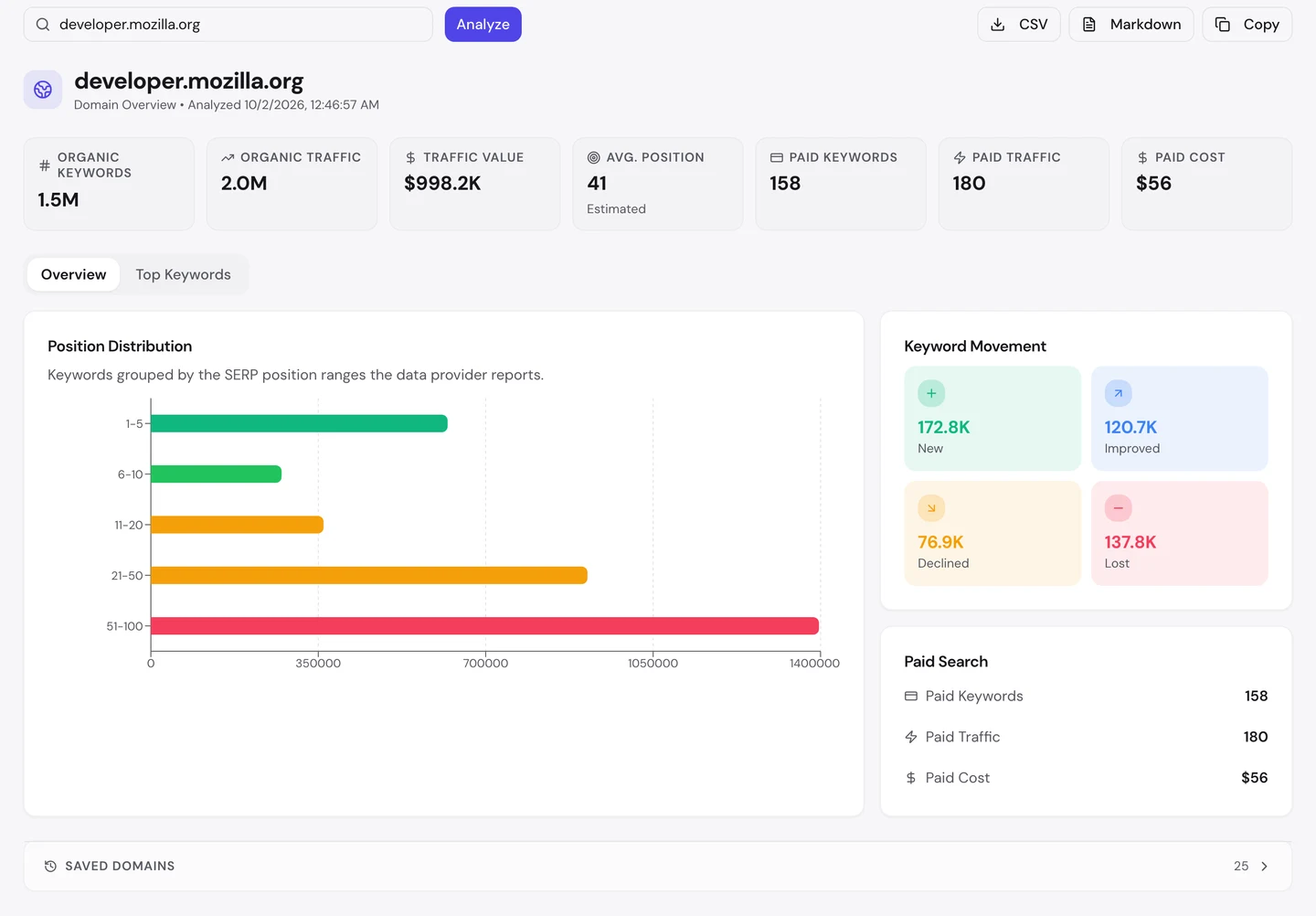
The traffic is worth about $1M a month in ad money. And MDN gains more keywords than it loses, so it's still growing.
So watch the rivals who teach your topics, and track your most important pages in our Rank Tracker. You'll see a rival pass you in days, not months.
Let AI tools learn from you
Lots of developers now ask ChatGPT or Claude about code instead of searching Google. So we checked which AI tools may read MDN.
The rules for crawlers live in robots.txt, a file that tells crawlers what they may read, and our extension reads it for you.
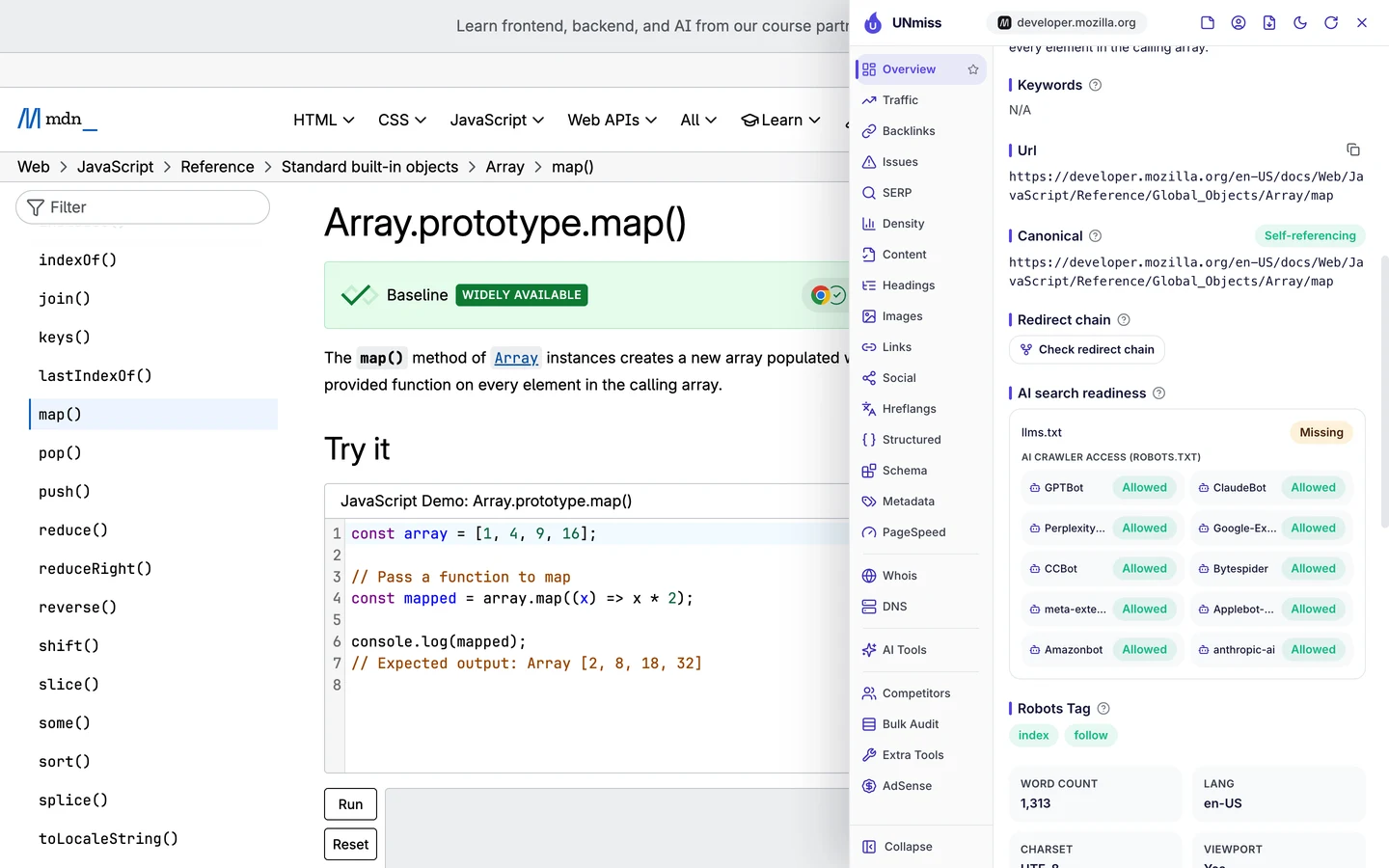
MDN lets every AI crawler in. So when you ask an AI tool how map() works, it can read MDN and point you to it.
wikiHow blocks almost every AI crawler, and TED blocks the ones that train AI models but lets AI search in.
There's no single right answer. Make your choice on purpose: write your rules with our robots.txt generator, then check whether AI tools mention you with our AI Visibility Checker.
None of MDN's sampled search traffic used its name. Our Organic Traffic Checker shows your branded share and your top pages, so you can see how much of your traffic comes from people who didn't know you yet.
- The same report that measured MDN
- Your branded share and monthly trend
- Run it on any rival's domain too
What you cannot copy
First, the part you can't copy: more than 20 years of pages written and checked by thousands of developers, and the trust that comes with it.
That's why MDN gets links without asking. A new site can start with one topic it knows better than anyone and answer it more clearly.
Now a few honest notes on the numbers.
Correct the snapshot date (e.g. "on 28 August 2026") or update the publication date. The 2M figure counts US searches to developer.mozilla.org only.
Our audit's Traffic and Keywords tabs also count the rest of mozilla.org, like Firefox add-ons and help pages. So we used them only for rows that are clearly MDN pages.
All the figures are estimates. Nobody outside Mozilla can count MDN's real visits, so tools work them out from rankings and search volume.
The one number to take away
0%.
That's the share of MDN's sampled searches that used its name. Every other search was a question, and MDN had a page with the answer in its first line.
That's the lesson for any business with know-how. People search for their problem, not for you, so give each problem a page of its own.
What's the question your customers ask you most? That could be your next page.
You can run every one of these checks on your own site, and on your rivals', and see the same numbers for yourself.
Frequently asked questions
Should I put my docs on a subdomain or in a folder?
Both can work. A folder like /docs shares your main site's strength more easily, while a subdomain is simpler to run as a separate site. Pick one and keep the addresses stable.
Is machine translation bad for SEO?
Not by itself. Google cares whether the page is useful. A raw machine translation with mistakes can read badly, so have a person check your most visited pages.
Does every page need an author name?
No. Reference pages written by a team can do without one. What matters is that readers can see who stands behind the content and when it was last checked.
What should I do when I rename or move a page?
Send the old address to the new one with a permanent redirect. Then update your own links and your sitemap to point straight at the new address.
Do code examples help a page rank?
They help readers, which helps the page. Put the code as text, not as an image, so people can copy it and Google can read it.
How short can a reference page be?
As short as the answer allows. A page that answers one question well can rank with a few hundred words. Add more only when readers need it.
Is it worth adding an llms.txt file?
It's a simple file that points AI tools to your key pages. Few AI tools use it yet, so treat it as a small extra, not a must-have.
How do I find which of my pages answer the same question twice?
Look for searches where 2 of your pages rank at once. An audit's Keywords tab flags them. Then merge them, or make each page answer a different question.