Three of the seven best-known free website audit tools would not show us a single number until we created an account. Not a limited number. Not a blurred number. Zero.
The test was the same for all seven: open the free page, decline the cookie banner, type rtings.com, press the button, wait. No account was created. No CAPTCHA was answered. No paid seat was used. Whatever the free tier handed back on the first attempt is what got screenshotted, and what you are about to read.
The surprise was not which tool won. It was how many of them are not really free website audit tools at all — they are free lead forms with an audit-shaped promise attached. One of them, after running a visible analysis with a progress bar, stopped at the last second and asked for an email. Another returned exactly one sentence: the data is not publicly available.
One disclosure before anything else, because it changes how you should read the rest: seotools.pro makes one of the tools below, and we ranked it first. That is a conflict of interest, and the only honest way to handle it is to show you every screenshot, name every number, and tell you plainly where our own tool is weaker than the ones underneath it. There is a whole section further down called "Our own inconvenient number." Read that one before you decide whether to trust the rest.
The best free website audit tool for most people is the seotools.pro Website Audit: 3 full reports a day, no account, 28 named checks, Google PageSpeed for phone and desktop, domain authority figures, and a free CSV export, share link and printable PDF. Seobility is the strongest alternative and the one to use when you want a second opinion on on-page detail. Sitechecker gives one genuinely good report a day. Semrush allows exactly one check. Ahrefs, Ubersuggest and WooRank want an account before they show you anything.
That middle number is the one worth sitting with. Half the market for "free website audit" is occupied by tools whose free tier is an email capture. They rank for the phrase, they take the click, and then they ask you to sign up before you learn anything about your own site. That is a legitimate business model. It is just not what the phrase "free website audit tool" means to the person typing it.
What a website audit actually checks
A website audit is a machine reading your page the way a search engine reads it, then telling you where the two of you disagree. Strip away the branding and every tool in this comparison is doing some subset of five jobs.
Can it be found? Does the page answer with HTTP 200, is indexing allowed, is there a canonical URL, does robots.txt exist, is there a sitemap, does only one version of the domain resolve. These are the checks where a single wrong character costs you every ranking you have.
Can it be understood? Title, meta description, one H1, image alt text, enough words on the page to establish a topic, structured data that names what the page is. This is the layer that decides how your result looks in the search listing, and increasingly whether an AI assistant can quote you at all.
Is it fast enough? Time to first byte, load time, page weight, oversized CSS and JavaScript, and Google's own Lighthouse scores. Speed is the one area where free tools differ enormously, because running Lighthouse properly costs the vendor real compute.
Does it work on a phone? The viewport meta tag, tap target spacing, and mobile-specific Core Web Vitals. Most traffic is mobile; a surprising number of free auditors still report only desktop.
Is anyone linking to it? Domain-level authority, backlink counts, referring domains. This is not strictly an audit — it is a different dataset entirely — but it is the context that tells you whether your technical problems are the reason you are not ranking, or whether the real answer is that nobody links to you.
Why "free" means six different things
Every tool here calls itself free. In practice we found six distinct meanings, and the difference between them is the whole story of this comparison.
Free with a daily allowance and no account. You type a domain, you get a report, and a counter goes down. This is the only version of "free" that behaves the way readers expect. Three tools did this.
Free with an allowance of exactly one. You get a single check, ever, tied to your IP address. Useful once, useless as a working tool. Recount the categories so they sum to seven.
Free after an account. The tool is genuinely free, but the price is your email address and whatever marketing follows it. Three tools did this, and two of them presented the wall only after we had typed our domain and pressed the button.
Free as a teaser. Some numbers are shown, the useful ones are blurred or locked. None of the seven did this outright, though several came close by making the free report a preamble to a paid crawl.
Free as a trial. Fourteen days, then a card. Seobility's banner offered exactly this, though its checker itself works without one.
Free, but not to software. One tool, SEOptimer, sits behind a bot-protection interstitial that never cleared for us — not in headless Chromium, not in a real Chrome window with a persistent profile. A human visitor almost certainly does not hit that wall, so reporting it as "blocked" would have described our tooling rather than their product. We dropped it from the comparison rather than publish a verdict we could not earn. WooRank took its place.
How I tested
One subject, seven tools, one afternoon: rtings.com, the product review site. It is a third party we have no relationship with, it is large enough that every tool finds something to say, and choosing someone else's site avoids the obvious trap of picking a page our own tool happens to score well on.
1. Every tool was driven the way a reader drives it — land on the free page, decline the cookie banner, type the domain, press the button, wait up to three minutes. 2. No account was created and no CAPTCHA was answered; if a tool demanded a signup before showing a number, the demand is the result and it was screenshotted as such. 3. Nothing was pre-warmed, retried until it looked good, or run from a paid seat. Every number below is read off a screenshot in this article, not off a vendor's marketing page.
The 7 tools at a glance
| Tool | Report with no account? | Free checks/day | Score shown | Phone and desktop speed? | Free export | What stopped it |
|---|---|---|---|---|---|---|
| seotools.pro | Yes | 3 | 95/100 | Yes — 58 and 67 | CSV, PDF, share link | — |
| Seobility | Yes | 3 | 86 % | No speed scores | PDF, share link | — |
| Sitechecker | Yes | 1 | 69/100 | Mobile shown | PDF, copy issues | Daily limit after 1 |
| Semrush | Not in our run | 1 | — | — | — | Allowance spent, then silence |
| Ahrefs | No | 0 | — | — | — | Signup wall |
| Ubersuggest | No | 0 | — | — | — | Account wall mid-analysis |
| WooRank | No | 0 | — | — | — | "Not publicly available" |
Prices are deliberately absent from that table. Every one of these companies sells a serious paid product, several of them excellent, and a column of monthly figures would invite you to compare a $50 subscription against a $200 one as though that were the question. It is not. The question this article answers is narrower and more useful: if you pay nothing and sign nothing, what do you actually get?
The tools, ranked
1. seotools.pro Website Audit — the most complete report you can get without an account
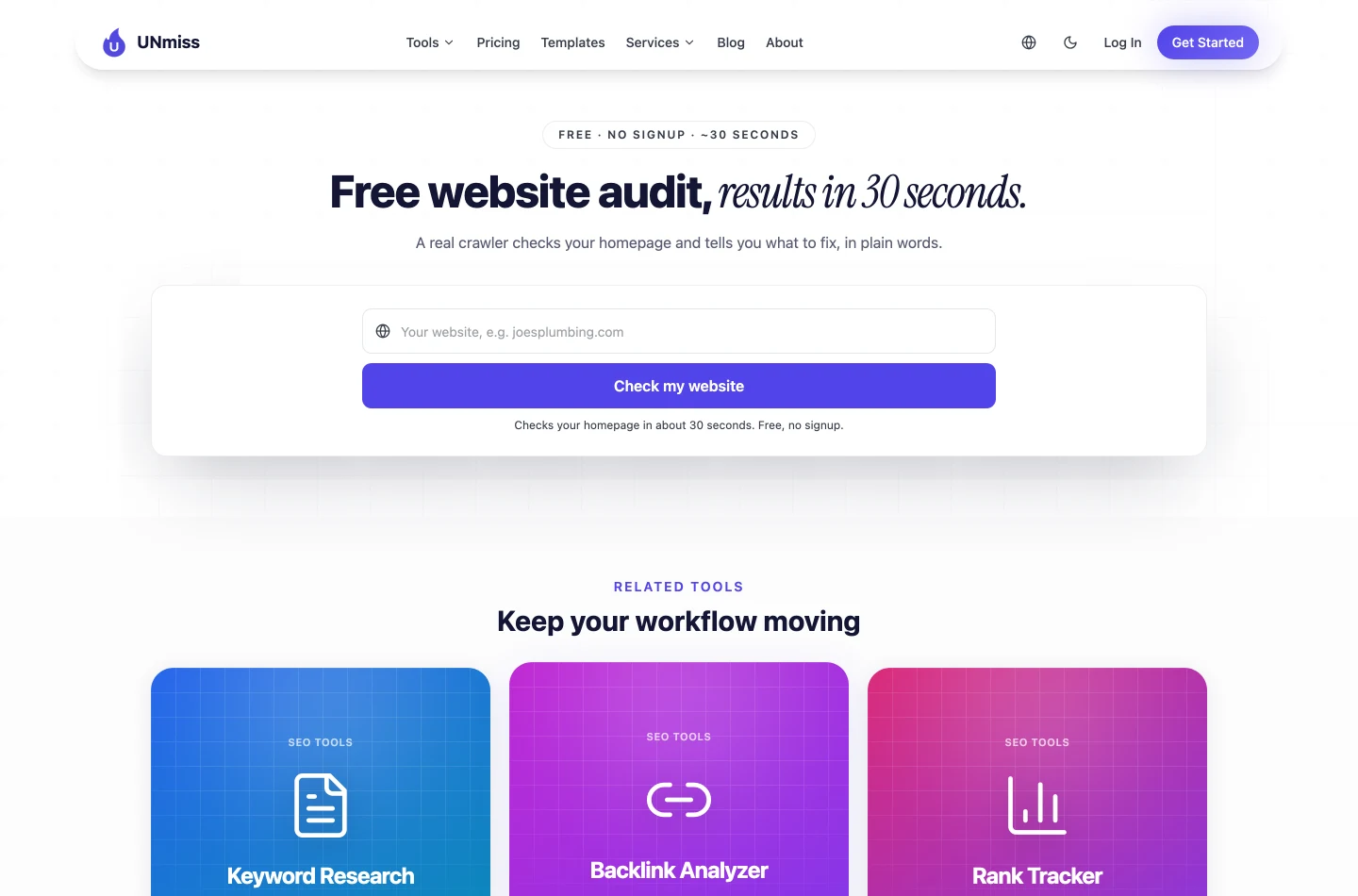
The seotools.pro Website Audit is our own tool, so treat the prose with suspicion and read the screenshots instead. Two fields, one button, no account, and Use one figure consistently (e.g. "about 30–70 seconds") and "One field, one button"..
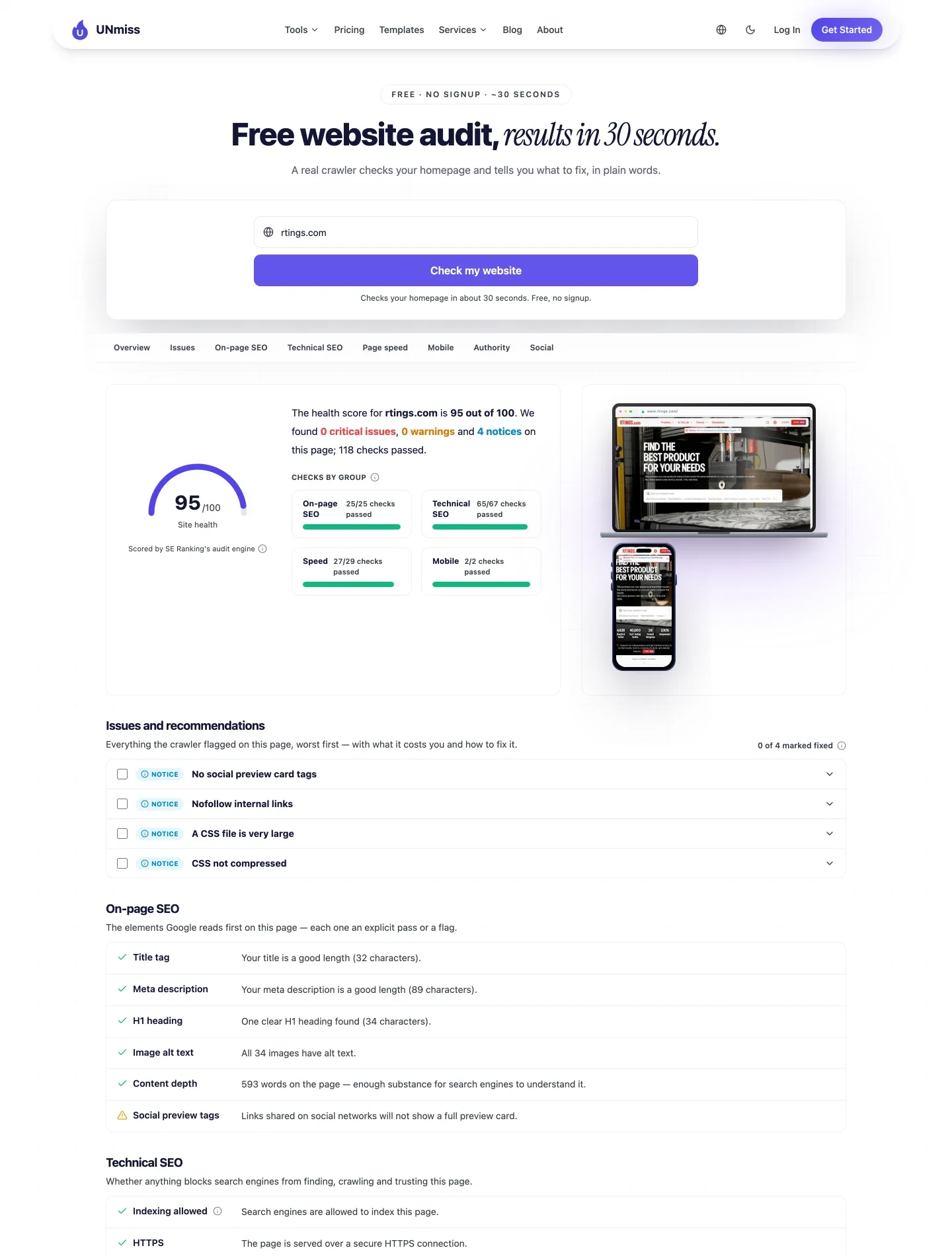
The headline is 95 out of 100 site health, scored by SE Ranking's audit engine and shown unadjusted — the number the crawler returned, not a number we reweighted to look friendlier. Underneath it: 0 critical issues, 0 warnings, 4 notices, 118 checks passed, broken into four groups — on-page 25/25, technical 65/67, speed 27/29, mobile 2/2.
The four notices are named in plain words rather than error codes: no social preview card tags, nofollow internal links, a CSS file is very large, CSS not compressed. Each one expands into what it costs you and what to change.
What separates this report from the others is that passes are shown as explicitly as failures, with the measured value attached. The title is not "good" — it is 32 characters. The meta description is 89 characters. There is one H1 and it is 34 characters. All 34 images have alt text. There are 593 words on the page. When a check fails it says so just as plainly: tap targets sit too close together on phones, which is a real defect on a real site, printed without softening.
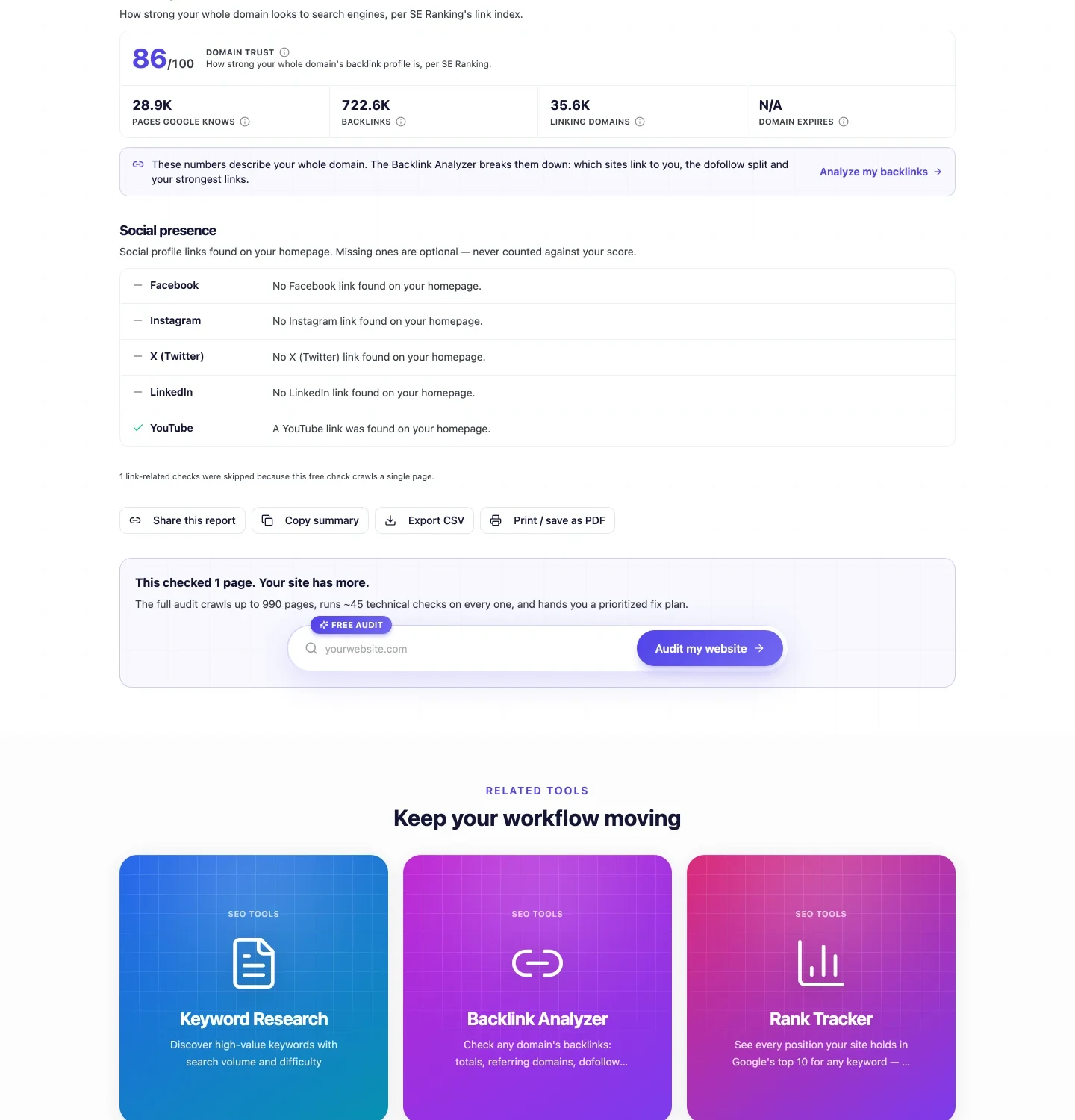
Two things in that second screenshot are worth more than the score. The first is the authority block: Domain Trust 86/100, 28.9K pages Google knows about, 722.6K backlinks, 35.6K linking domains. No other free tool in this comparison put link data next to technical data, and that pairing is what tells you whether your problem is the page or the profile.
The second is a single grey line of text: "1 link-related checks were skipped because this free check crawls a single page." That is the tool admitting, unprompted, that it withheld a result and why. A one-page crawl cannot honestly evaluate internal-link checks like "orphan page" or "low inlinks" — every page looks orphaned when you only fetch one. Most tools quietly report those as failures, which inflates the issue count on a site that has no such problem. Ours drops them and tells you it did.
The same restraint governs the whole check list: a row is omitted rather than guessed at when the data cannot support a verdict. If a page has no images, there is no image-alt row. If there are no hreflang tags, there is no hreflang row. A blank verdict is worse than no verdict.
Free outputs are genuinely free: Share this report, Copy summary, Export CSV, Print / save as PDF. No tool in this comparison offers CSV without an account. The daily allowance is 3 checks, enforced on the server, with no signup and no card.
Type your domain, wait about 30 seconds, and read the same report you just saw — health score, 28 named checks, both PageSpeed scores, and your domain's link profile.
- 28 named checks in 5 categories, passes shown as clearly as failures
- Google PageSpeed for phone and desktop, not just one
- Domain Trust, backlinks and linking domains in the same report
- Share link, CSV export and printable PDF, all free
- 3 full audits every day, no account, no card
- 3 full reports a day, no account, no card, no CAPTCHA
- Google PageSpeed for phone and desktop — 58 and 67 on our subject
- Domain Trust, backlinks and linking domains alongside the technical checks
- Every on-page value printed, not summarised as "good" or "bad"
- CSV, PDF, share link and copy-summary all free
- Discloses which checks it suppressed, and why
- Report available in 7 languages
- It audits one page. Competitors' paid tiers crawl thousands
- 28 named checks is fewer rows than Seobility's exhaustive on-page list
- No keyword-level content scoring inside the audit itself
- We built it, so read the screenshots rather than our adjectives
2. Seobility SEO Checker — the best on-page detail, and it asks for nothing
Seobility was the surprise of the test. It runs without an account, it produced a complete report in one attempt, and on pure on-page depth it is the most thorough free tool here.
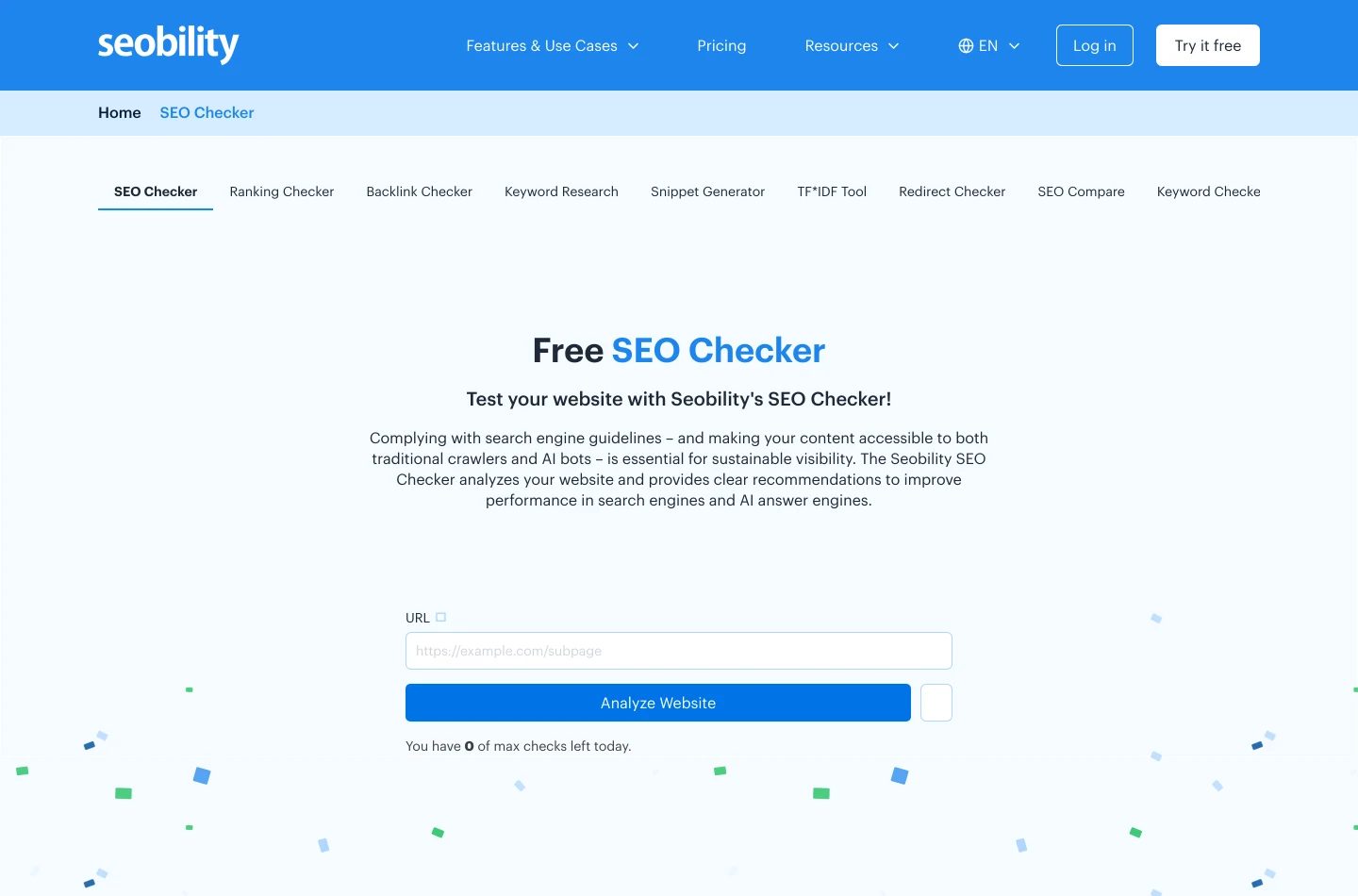
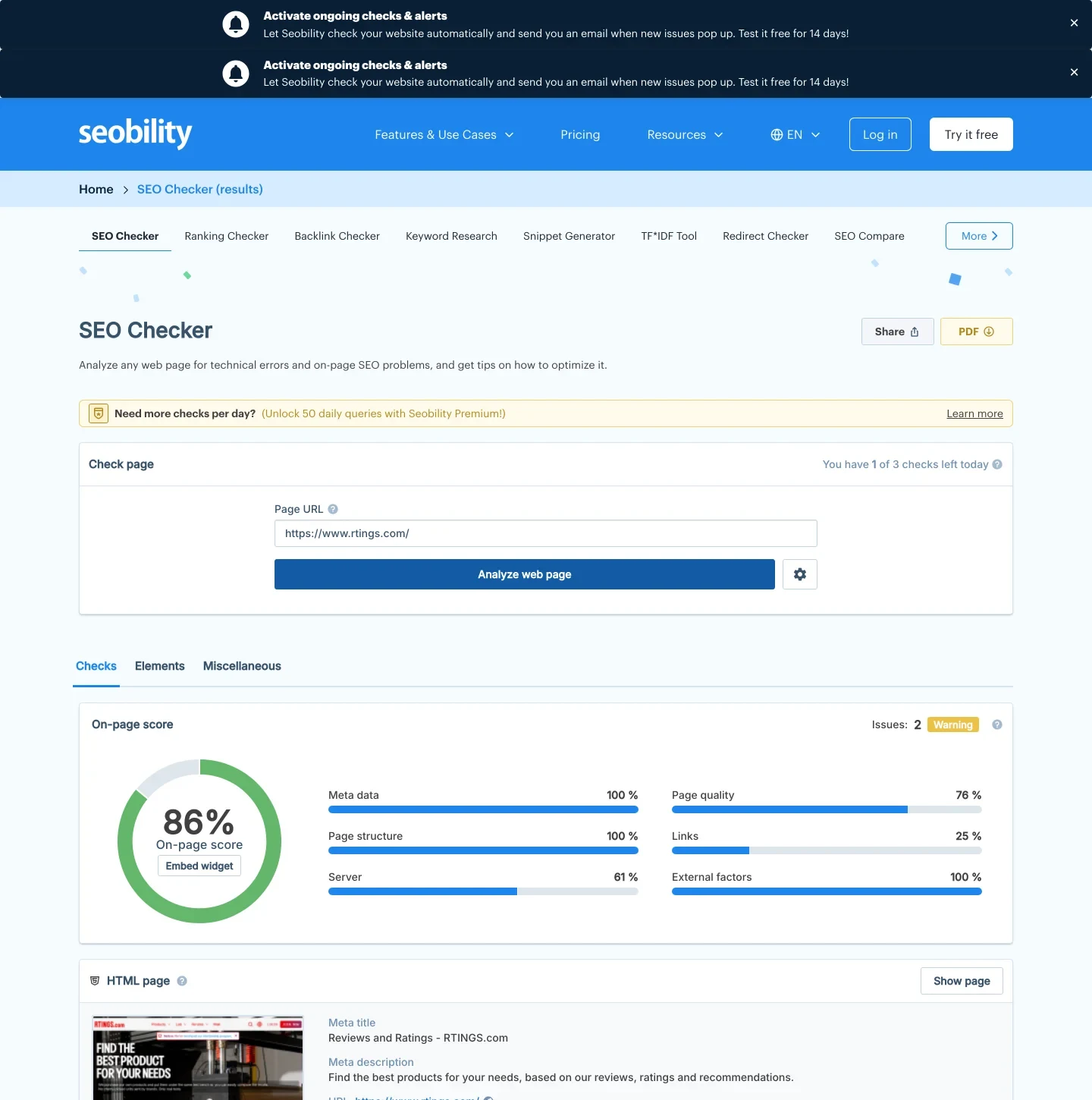
The headline is 86 % on-page score with an Issues: 2 warning badge, split into sub-scores: meta data 100 %, page structure 100 %, page quality 76 %. The two warnings are specific and, unusually, semantic rather than mechanical: "Some words from the page title are not used within the pages content" and "Words from the H1 heading are not used in the page content." No other tool in this test noticed that.
The depth below is real. Seobility counts 533 words, works out that 19.5 % of the text are stop words, counts 5 paragraphs, measures average sentence length at 14.13 words, notes that the page loads 2 JavaScript files, and recommends up to 11 strong or bold tags for a page of that length. Section rollups run all the way down to frames (1/1), mobile optimisation (3/3) and image SEO (1/1).
Here is a detail worth more than either score. Seobility counted 533 words on the same page where our audit counted 593. Neither is lying. They disagree about what counts as body text — navigation, captions, boilerplate. If two careful tools can differ by 11 % on something as simple as counting words, treat any single number from any single auditor as an estimate with a method behind it, not a fact.
Its quota line reads "You have 1 of 3 checks left today", while the pricing block on the same page advertises the free Basic plan at 5 checks per day. So an anonymous visitor gets 3; the extra two are what the signup buys. Paid tiers were listed at $50.00 a month for 50 daily checks and $200.00 a month for 200.
What it does not do: no Lighthouse or PageSpeed scores, no Core Web Vitals, no domain authority or backlink context. It is an on-page checker, and an excellent one, rather than a whole-site audit.
Try Seobility's free SEO Checker →
- Ran free, no account, first attempt
- 3 checks a day anonymously, same as ours
- The deepest on-page check list in the comparison
- Catches semantic problems, not just missing tags
- Share link and PDF export free
- No speed scores at all — no Lighthouse, no Core Web Vitals
- No backlink or domain authority context
- Two full-width upsell banners sat over the report on load
- Advertises 5 free checks a day; anonymous visitors get 3
3. Sitechecker — one good report a day, after a detour
Sitechecker produced a genuine report, and a good one. It just makes you walk through a funnel first.
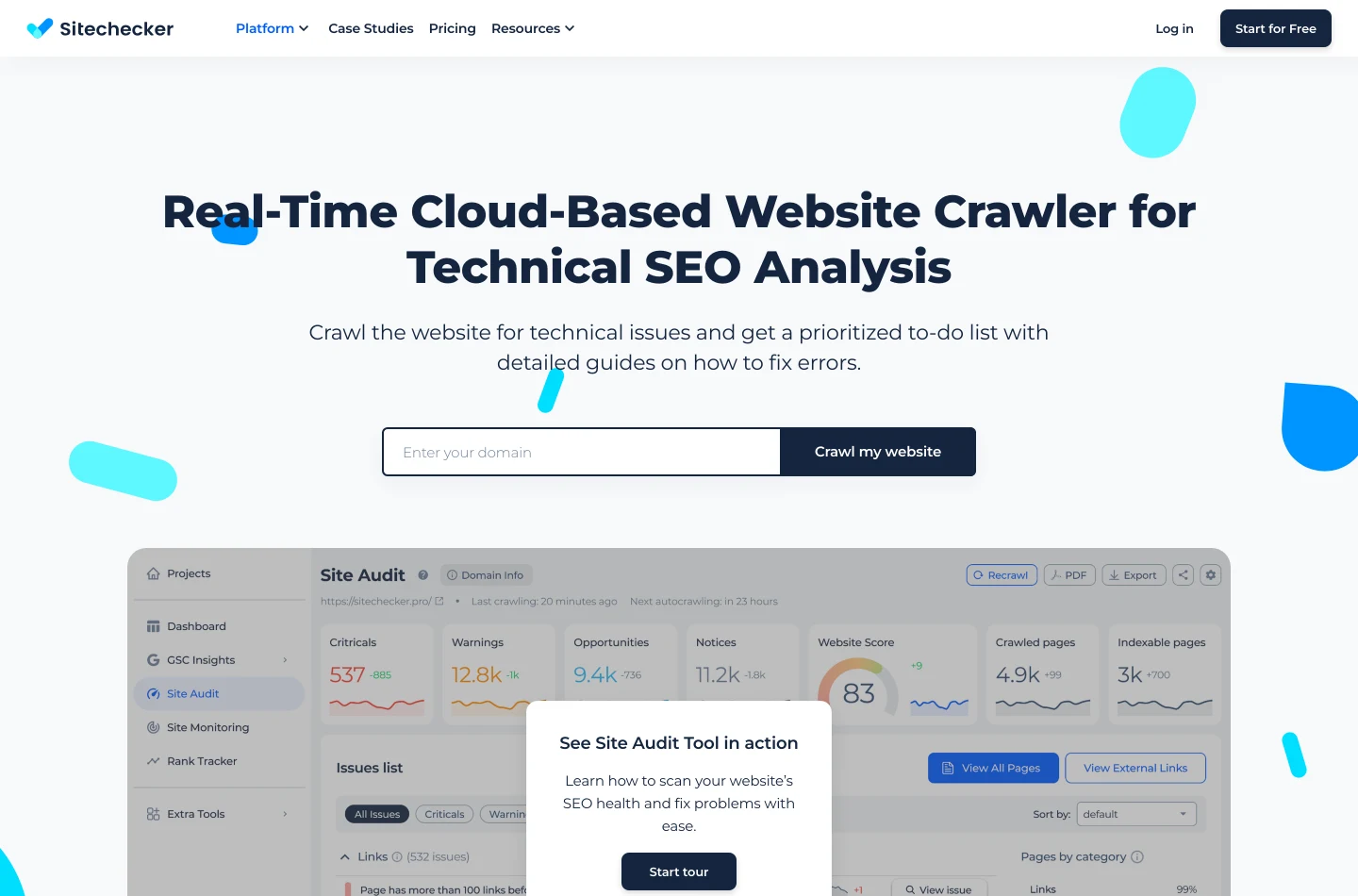
Typing a domain and pressing their crawl button does not start an audit. It opens a chooser: "Website crawling — free account needed — crawl for 300+ issues" against "One-page crawling — instant report — crawl for 100 issues." Pick the second and you get a real report with no account.
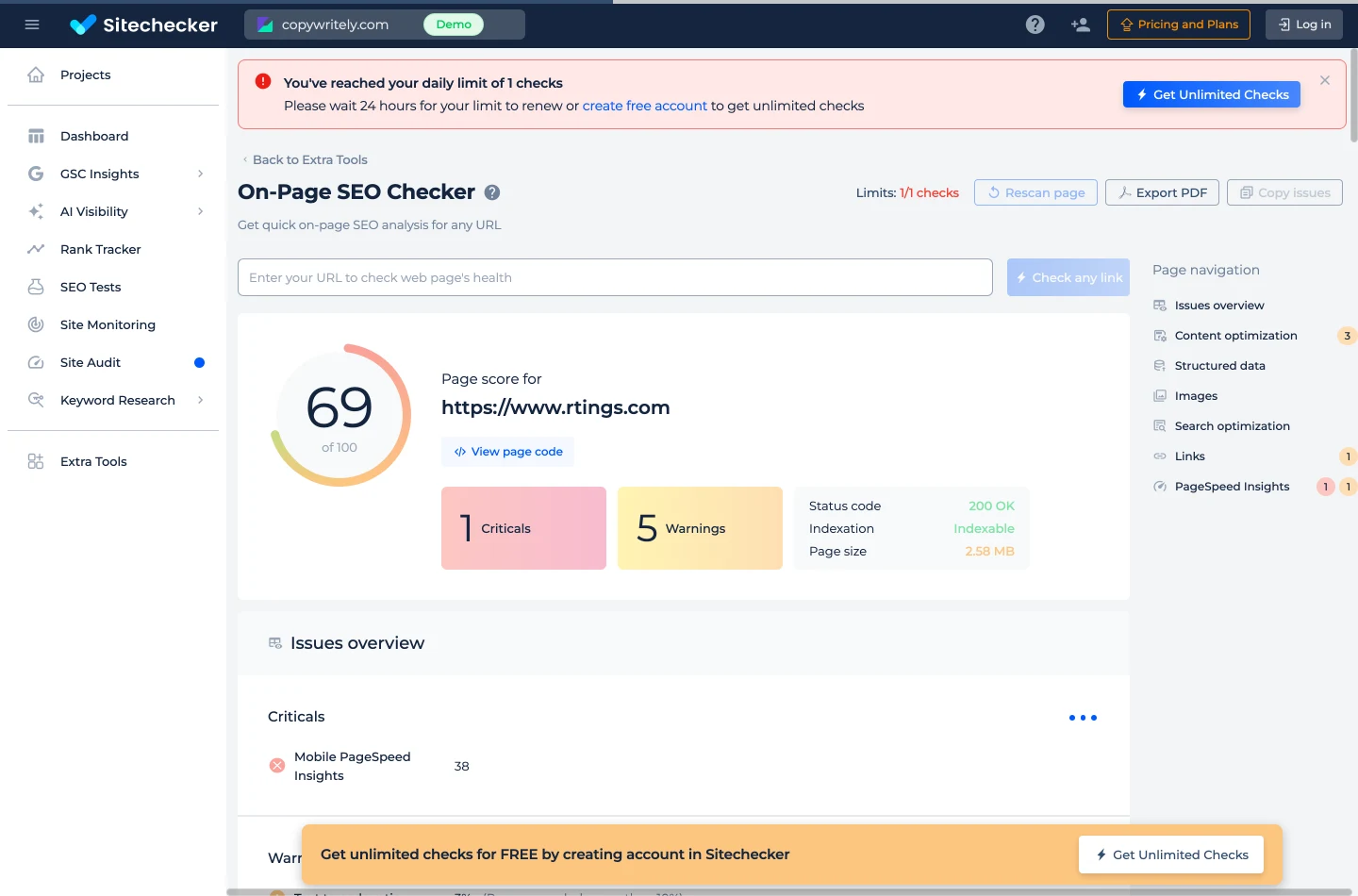
That report gives 69 of 100 for the page, 1 critical and 5 warnings, plus a clean status panel: 200 OK, indexable, 2.58 MB page size. The single critical is specific and useful — Mobile PageSpeed Insights: 38 — and the report navigation breaks findings into content optimisation, structured data, images, search optimisation, links and PageSpeed Insights. Export PDF and Copy issues work free.
The catch is stated in their own words at the top of the report: "You've reached your daily limit of 1 checks. Please wait 24 hours for your limit to renew or create free account to get unlimited checks." One check a day. Fine for a spot check on your own homepage, unworkable for comparing three pages or checking a fix.
Try Sitechecker's one-page audit →
- A real report with no account
- Clear severity split — criticals separated from warnings
- Names the mobile PageSpeed number as the top problem
- PDF export and copy-issues free
- One check per day, then a hard stop
- The run button opens a chooser, not an audit
- Upsell banners top and bottom of the report
- The score re-rendered between our two reads of the same report
4. Semrush free SEO Checker — exactly one check, and ours came back empty
Semrush's free audit is easy to miss because the obvious URL is wrong: /site-audit/ returns a 404. The free, no-account surface lives at semrush.com/siteaudit/, branded "SEO Checker, powered by Semrush Site Audit."
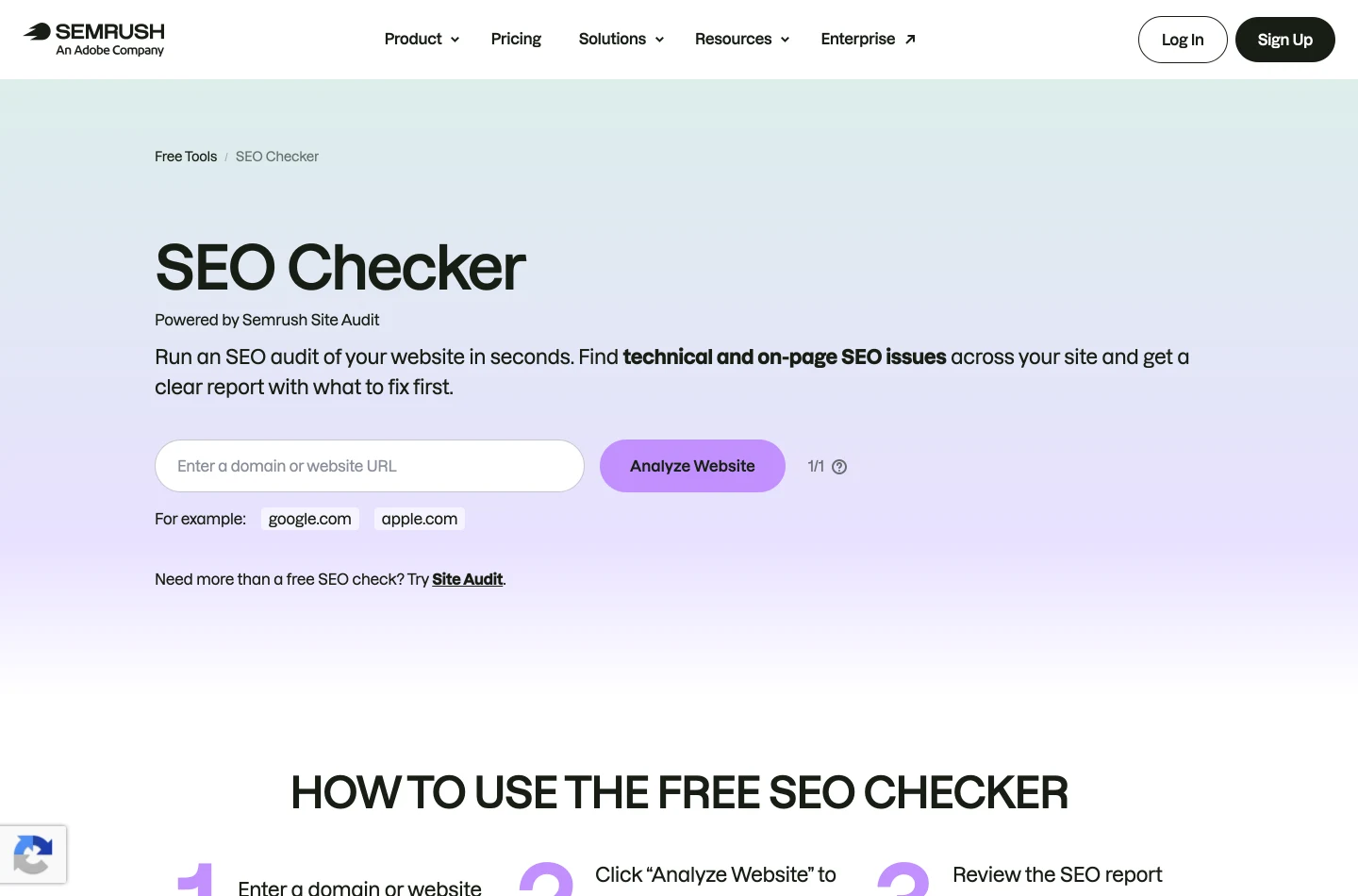
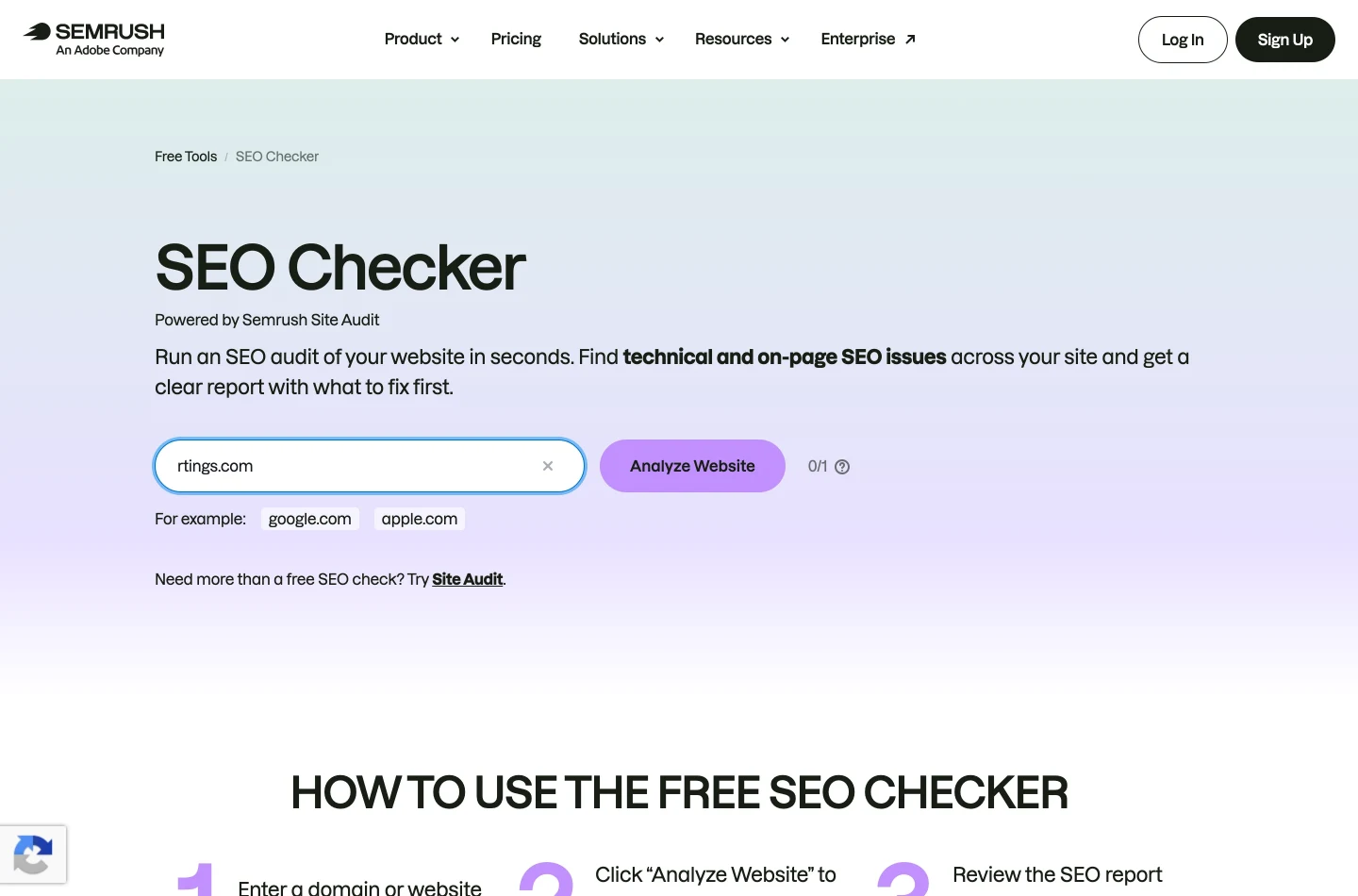
Beside the button sits a small counter. It read 1/1 before our run and 0/1 afterwards, which makes the free allowance unambiguous: one check. Not one a day — one.
We spent it on rtings.com, and here is exactly what happened, because it matters more than a verdict. An "AI Visibility Toolkit" promo modal opened over the form. We repeated the run with the modal explicitly dismissed and cookies denied. After three minutes the page had still not rendered a readable report — what appeared was the modal over the hero and a row of report-section pills. Once the counter hit 0/1, pressing Analyze Website again did nothing at all: no report, no error, no message. Retrying from a different IP address produced the same 0/1.
So the honest position is narrow. We are not telling you Semrush's free report is bad; we never saw it. We are telling you the free allowance is a single check, that our single check produced nothing readable inside three minutes, and that when the allowance is gone the button fails silently rather than explaining itself. For a tool this widely recommended as "the free website audit", that is the finding.
Try Semrush's free SEO Checker →
5. Ahrefs Website Checker — the signup wall arrives after you type
Ahrefs makes the best-known site auditor in the industry, and its free Website Checker page is clean and inviting: one field reading "Enter domain".
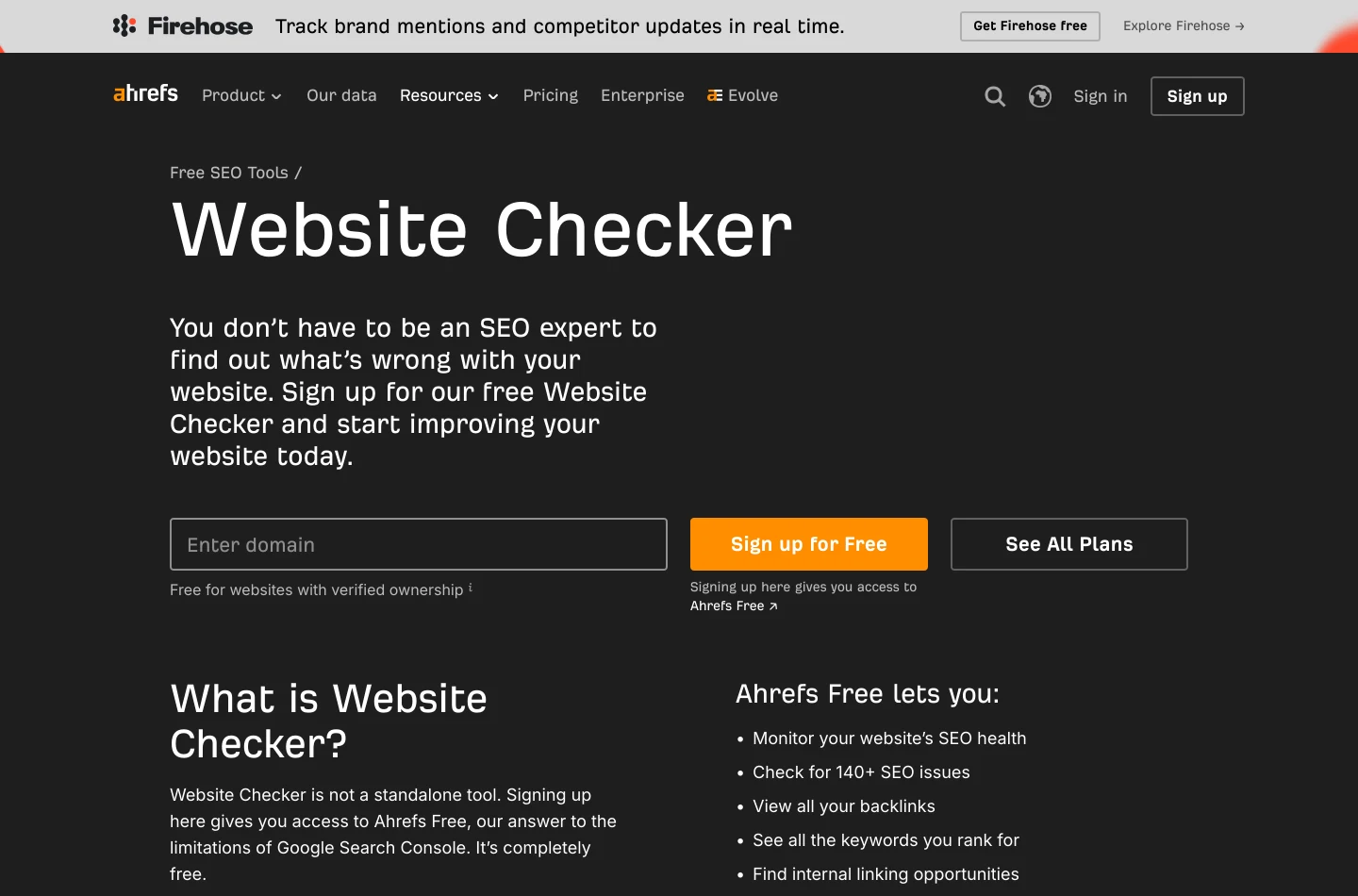
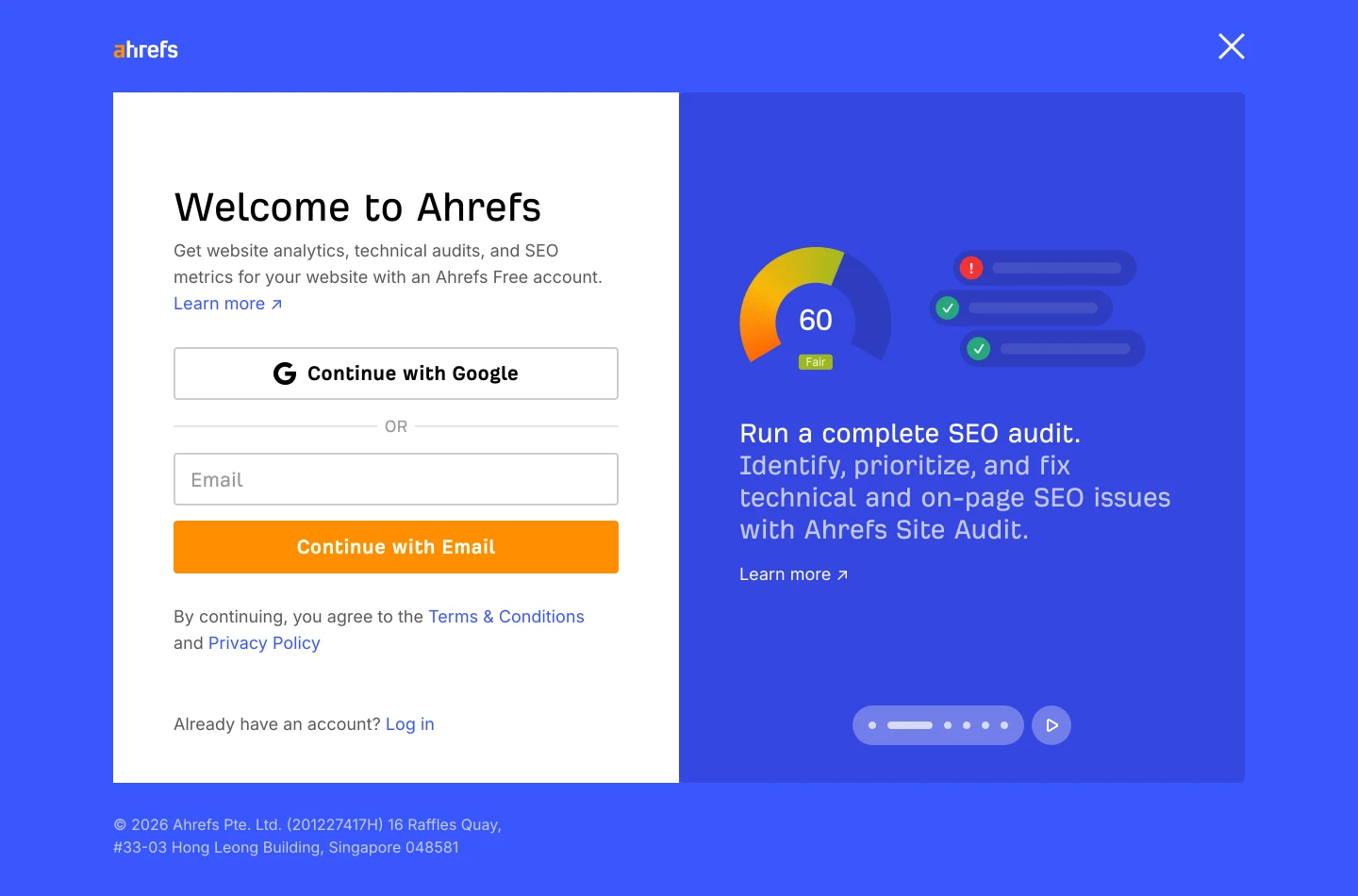
Submit a domain and the page redirects to ahrefs.com/signup. The screen reads "Welcome to Ahrefs — Get website analytics, technical audits, and SEO metrics for your website with an Ahrefs Free account", offering Continue with Google or Continue with Email. Beside it, an illustration of the report you cannot see yet, with a score dial reading 60.
No number was shown before the account demand. We created no account, so this article makes no claim whatsoever about the quality of Ahrefs Webmaster Tools, which by every account is a serious product. The claim is only this: as a free website audit tool you can use right now without registering, it does not function as one. The signup arrives after you have typed your domain, not before.
6. Ubersuggest — it starts analysing, then stops for your email
Ubersuggest was the most frustrating of the three walls, because it very nearly works.
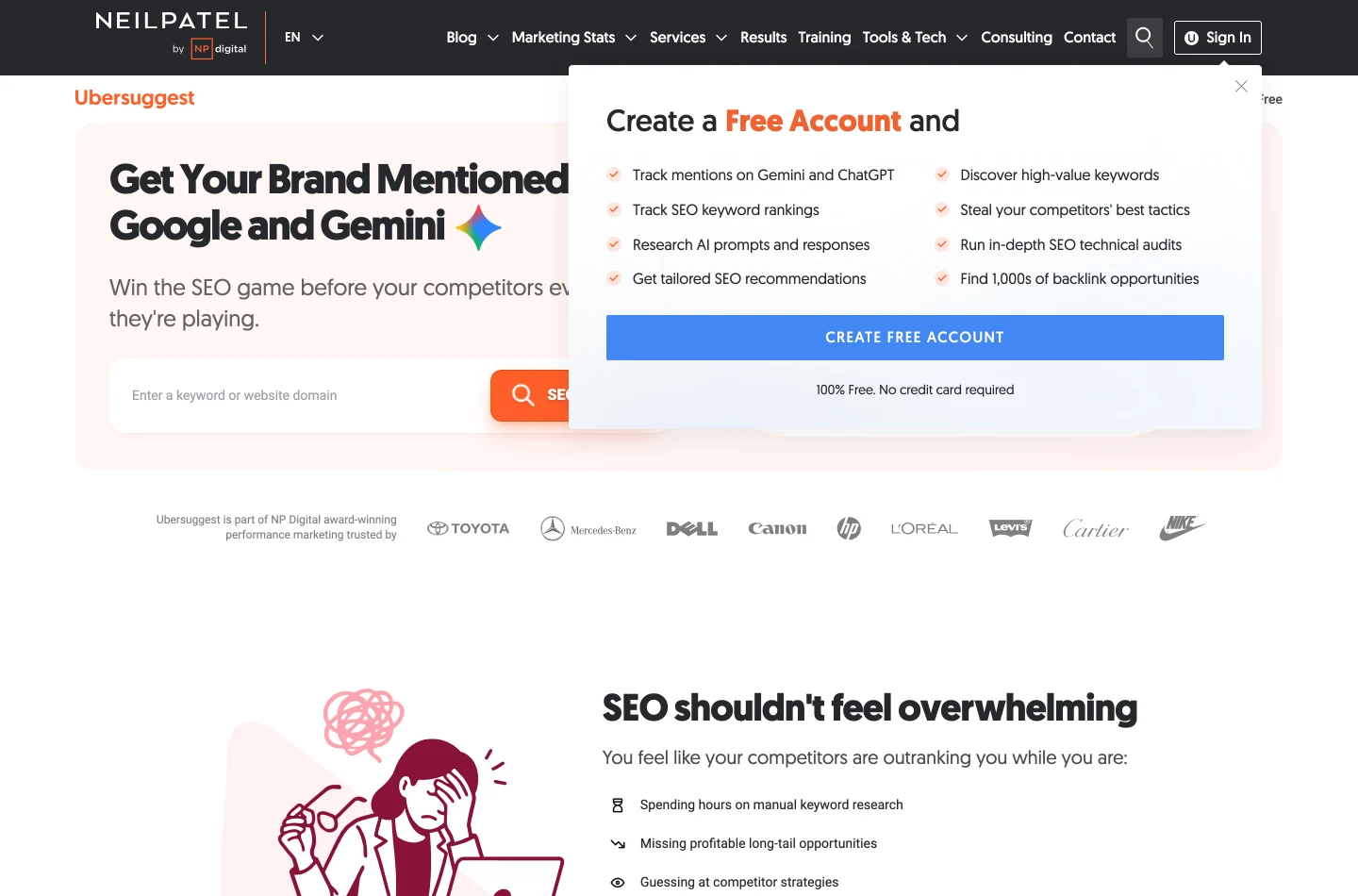
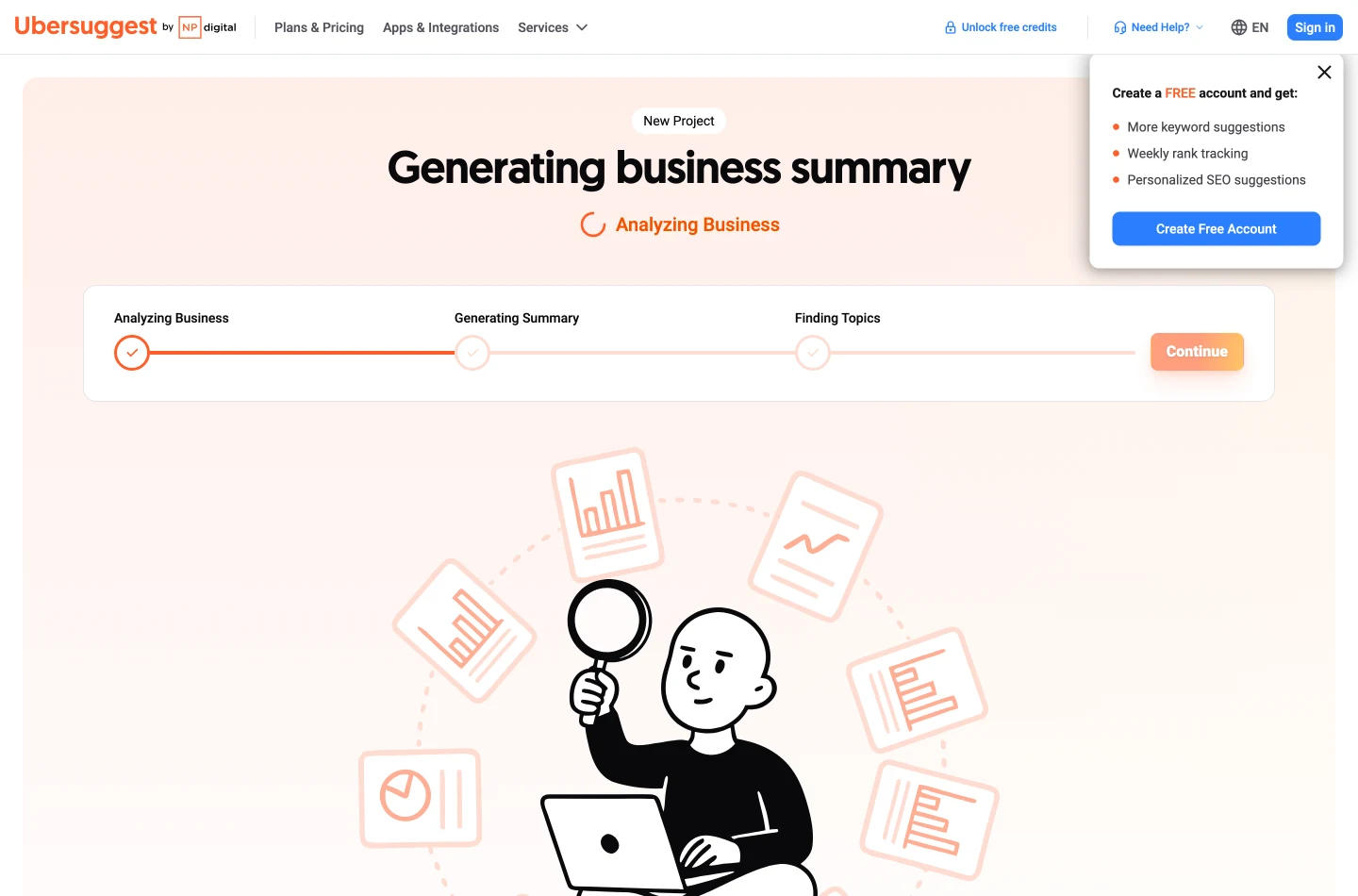
Enter the domain and it moves into the app and starts working in full view: Generating business summary… Analyzing Business… Generating Summary… Finding Topics. Then it halts on "Create a FREE account and get: More keyword suggestions · Weekly rank tracking · Personalized SEO suggestions" with a Create Free Account button.
Showing the work and then withholding the result is a deliberate conversion pattern, and it is effective precisely because you have already invested attention. No audit numbers were reached. As with Ahrefs, we make no claim about what sits behind the wall.
7. WooRank — one sentence, and that sentence is a sales pitch
WooRank was the shortest test of the day.
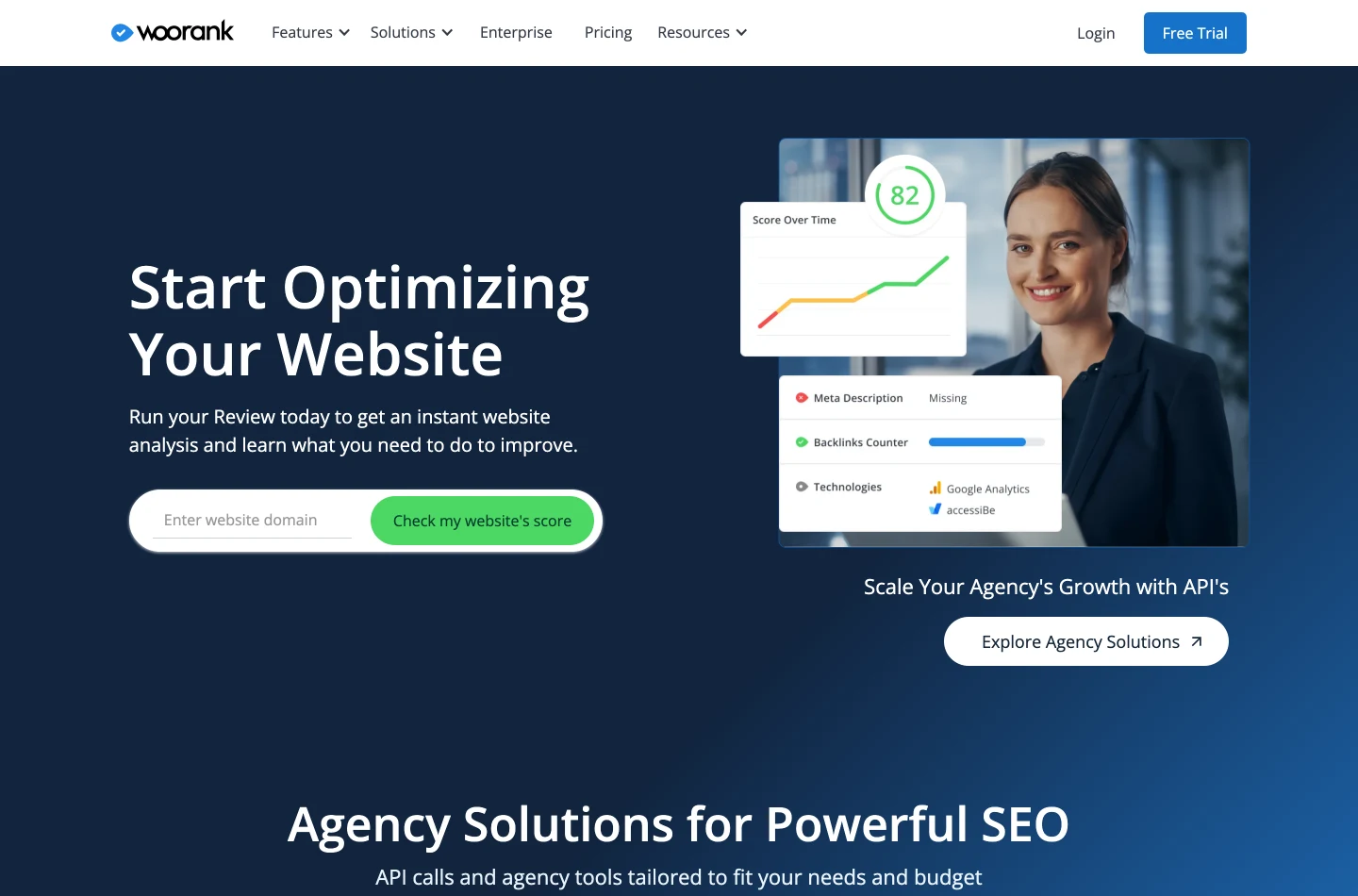
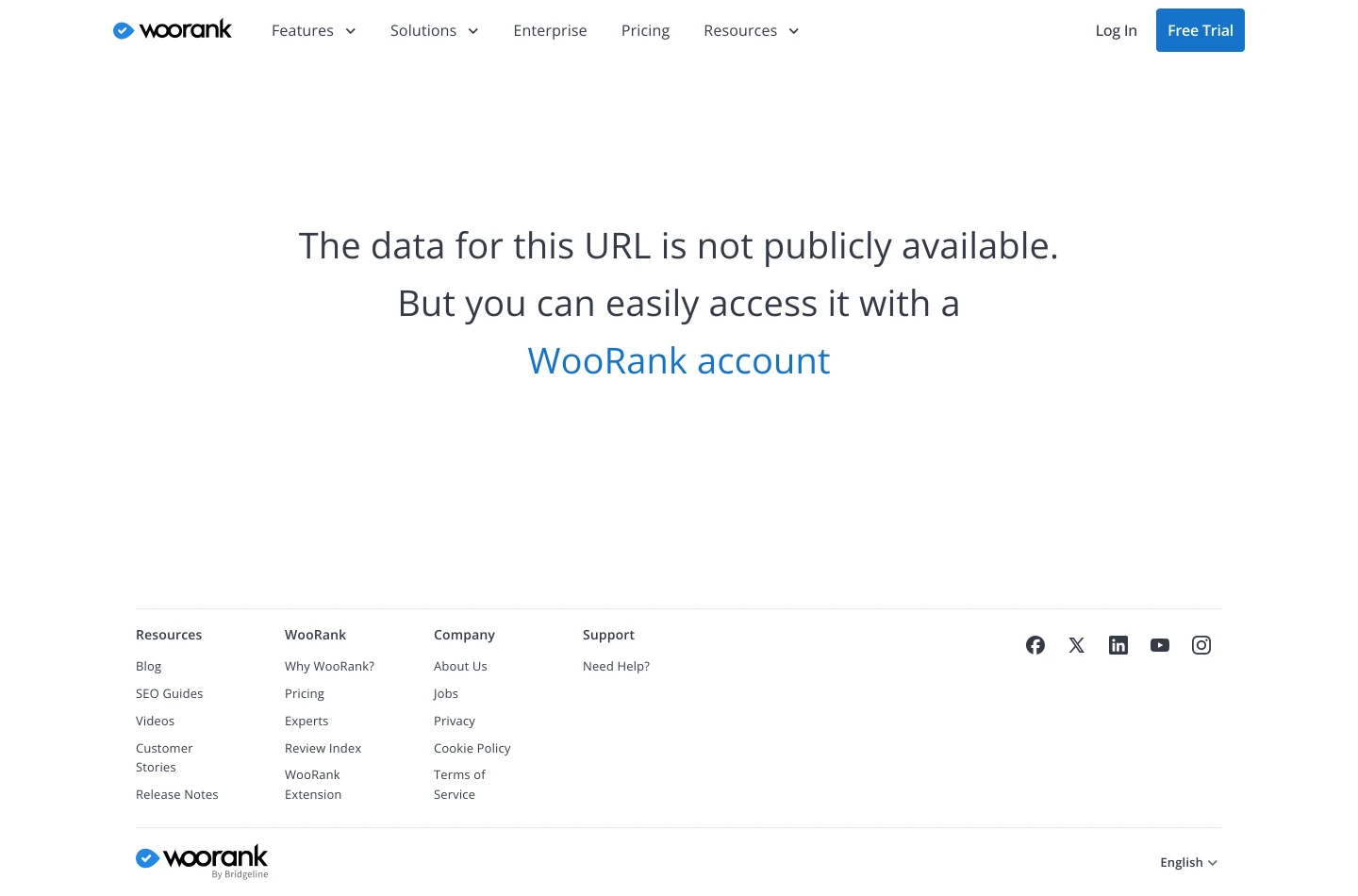
Enter a domain, press Check my website's score, land on a teaser-review page, and read the whole output: "The data for this URL is not publicly available. But you can easily access it with a WooRank account." No score, no checks, no partial result. A button labelled "Check my website's score" that returns no score is the clearest example in this test of the gap between how these tools are marketed and what they do.
The audit is the front door. Behind it are 39 more free tools
Here is the argument that no other tool in this comparison can answer, and the reason we built the audit the way we did.
Every free auditor tells you what is broken and then sells you the fix. The report ends, the upsell begins, and the actual work — rewriting the title, generating the schema, building the sitemap, finding the keyword you should have targeted — is either your problem or a subscription. The audit is the top of a funnel, and the funnel goes to a pricing page.
Ours goes somewhere else. Every finding in the seotools.pro report has a free seotools.pro tool sitting behind it that does the fixing. That is not a bundle in the marketing sense; it is a mapping, finding by finding.
Every finding, and the free tool that fixes it
| What the audit flags | The free tool that fixes it |
|---|---|
| Title or meta description the wrong length | Meta Tag Generator |
| Snippet reads badly in the search listing | Free Search Simulator |
| Headline not earning the click | Headline Analyzer |
| Thin content — too few words to establish a topic | Content Optimizer |
| Nothing written for the page yet | AI Content Writer |
| Page needs rewriting rather than replacing | Article Rewriter |
| Copy reads like a machine wrote it | AI Humanizer · AI Content Detector |
| Hard to read | Readability Checker |
| No structured data on the page | Schema Markup Generator |
| robots.txt missing or wrong | Robots.txt Generator |
| sitemap.xml missing | XML Sitemap Generator |
| Redirect chain or loop | Redirect Checker |
| New pages not indexed yet | Ping Search Engines |
| Need the raw HTML to confirm a tag | Get Source Code of Webpage |
| Domain Trust or backlinks look weak | Backlink Analyzer |
| No links at all yet | Backlink Maker |
| No idea what to target | Keyword Research |
| Keywords with no structure behind them | Keyword Cluster Tool |
| No idea where you rank | Rank Tracker |
| Rankings differ city by city | Local Rank Checker |
| Invisible to ChatGPT, Claude, Gemini and Perplexity | AI Visibility Checker |
| A list of URLs you need as clean domains | URL to Domain Converter |
Beyond those, the same account-free catalogue includes nine title generators — blog post, YouTube, podcast, course, newsletter subject line, affiliate product, comparison article, listicle and tutorial — plus five YouTube tools covering thumbnail CTR, opening hooks, script outlines, metadata and localisation. Thirty-nine tools in total, none of them requiring an account.
A further fifteen — toxic backlinks, domain overview, organic traffic, internal links, Google Business Profile audit, citation tracker, competitor analysis, backlink gap, market explorer, SERP analyzer, on-page checker, site speed, AI visibility, topical map and content brief — run in the signed-in workspace. We are deliberately quoting no free limits for those, because their quotas live in a different system from the one we can verify line by line. Every number in this article is one we could check in code or read off a screenshot, and we are not going to break that rule to pad a list.
Free is never free of everything; it is free of money. Across this test the currency was one of three things: your email address (Ahrefs, Ubersuggest, WooRank), your patience (Semrush's one check, Sitechecker's one a day), or a genuine daily allowance (seotools.pro 3, Seobility 3). The tools in the third group are the only ones you can build a habit around, and a habit is what actually improves a site — nobody fixes their SEO with a single audit.
Our own inconvenient number
Here is the thing our tool does worse than the paid products these companies are steering you toward, stated as plainly as we can manage.
It audits one page. One. The homepage, or whichever URL you hand it. Sitechecker's own chooser offers a website crawl of up to 100,000 URLs behind a free account. Semrush Site Audit and Ahrefs Site Audit crawl entire properties on their paid tiers and track the results over time. Our free check fetches a single page, runs the full battery against it, and stops.
That limitation is why the report carries a line admitting which checks were suppressed. Internal-link checks like "orphan page" and "low inlinks" are meaningless on a one-page crawl — every page is an orphan when you only fetch one — so we drop them rather than report a fake failure, and we say so on screen. It is also why the footer of the report reads, in our own words, "This checked 1 page. Your site has more."
Be clear-eyed about what a one-page audit can and cannot tell you. It will find the missing schema, the oversized CSS, the tap targets, the title length, the mobile speed score. It will not find the 400 orphaned product pages, the duplicate templates, the pagination that loops, or the subfolder nobody has linked to since 2021. Those are crawl problems, and a crawl is what finds them.
So the honest framing of this whole comparison is: among tools that give you a real report for free, right now, without an account, ours returns the most. That is a narrower claim than "best website audit tool", and it is the only one the evidence supports.
Which one should you pick
If you want the most complete free report and you want it now, use the seotools.pro Website Audit. Three a day, no account, technical checks plus both PageSpeed scores plus link authority in one page, and every export free.
If you want a second opinion on on-page detail, run Seobility as well. It costs nothing, it also allows three a day, and it catches semantic mismatches between your title, your H1 and your body copy that nothing else here noticed. Running both and comparing is genuinely better than running either alone — the 533-versus-593 word count is a good reminder of why.
If you specifically want severity triage — a short list of "criticals" to hand a developer — Sitechecker's one-page report is nicely structured. Just remember you get one a day.
If you already pay for Semrush or Ahrefs, ignore this entire article and use their paid site audits. They crawl whole sites, they schedule, they track progress over time, and nothing free competes with that. This comparison is about the free doorway, not the paid building.
What no free audit can tell you
Three things, and it is worth knowing them before you over-trust any score on this page.
Whether the score matters. A 95 and a 69 on the same page, from two competent tools, are not a contradiction — they are two different weightings of two different check lists. Scores are useful for tracking your own direction over time. They are close to meaningless as a comparison between sites, and completely meaningless as a comparison between tools.
Why you are not ranking. An audit measures the page. It cannot measure intent, competition or authority. A technically perfect page targeting a keyword owned by three sites with 50,000 referring domains will not rank, and no auditor will tell you that. Keyword Research and Rank Tracker answer that question; an audit does not.
Whether AI assistants know you exist. This is the newest gap and the one most free auditors have not addressed at all. Every tool in this comparison checks how a crawler reads your page. None of them, ours included, checks whether ChatGPT, Claude, Gemini or Perplexity actually name your brand when someone asks a buying question — that is a separate job for the AI Visibility Checker. Technical health increasingly decides whether an AI system can quote you. It does not decide whether it does.
Frequently asked questions
What is the best free website audit tool?
For most people, the seotools.pro Website Audit: it returned the most complete report of the seven tools tested, with no account, and allows 3 full audits a day. It was the only one to show Google PageSpeed for both phone and desktop alongside domain authority figures, and the only one offering a CSV export free. Seobility is the strongest alternative and worth running as a second opinion.
Which free website audit tools work without creating an account?
Three of the seven we tested: seotools.pro (3 checks a day), Seobility (3 checks a day for anonymous visitors) and Sitechecker (1 check a day). Semrush allows exactly one check. Ahrefs, Ubersuggest and WooRank all required an account before showing any result on our test.
Is Ahrefs' website checker really free?
It is free in the sense that it costs no money, but it is not usable without registering. When we submitted a domain, the page redirected to a signup screen reading "Welcome to Ahrefs" with Continue with Google and Continue with Email options. No number was shown beforehand. Ahrefs Webmaster Tools behind that wall is a serious product; we simply did not create an account, so this article makes no claim about it.
How many free checks does Semrush's SEO Checker give you?
One. The counter beside the Analyze Website button read 1/1 before our run and 0/1 afterwards. Note also that their /site-audit/ URL returns a 404 — the free tool lives at /siteaudit/. Once the allowance is spent, pressing the button produces no report and no error message at all.
Why do two free audit tools give my page different scores?
Because they check different things and weight them differently. On our test page seotools.pro reported 95/100 and Sitechecker 69/100 — both correct within their own method. A clearer illustration: seotools.pro counted 593 words on the page and Seobility counted 533, because they disagree about whether navigation and boilerplate count as body text. Use a score to track your own progress over time, never to compare two different sites or two different tools.
Can a free website audit check my whole site?
Generally no. Most free tiers, ours included, audit a single page — usually your homepage. Sitechecker offers a full site crawl but requires a free account for it. Whole-site crawling with scheduling and history is what the paid products from Ahrefs, Semrush and Sitechecker exist to sell. A one-page audit finds tag, speed and markup problems; only a crawl finds orphaned pages, duplicate templates and broken internal linking.
What should I fix first after an audit?
Anything that stops the page being found or indexed, before anything cosmetic: a non-200 status, an accidental noindex, a wrong canonical, a missing or blocking robots.txt. Then mobile speed, because it affects every visitor and is usually the lowest score in the report. Then the title and meta description, because they change how your existing rankings convert. Cosmetic content tweaks last — they are the most enjoyable and the least urgent.
Do free website audit tools give accurate results?
The mechanical checks are accurate: HTTP status, canonical tag, robots.txt presence, image alt attributes, viewport meta tag and word counts are all directly observable and hard to get wrong. Composite scores, difficulty estimates and authority metrics are models, and different vendors model them differently. Trust the observations; treat the scores as directional.
How often should I run a website audit?
After every meaningful change to a template, and otherwise monthly. Most damage from technical SEO problems comes from changes nobody audited — a redesign that drops the canonical tags, a plugin that adds a noindex, a CDN change that triples page weight. A monthly check on your most important page catches those while they are still cheap. Three free checks a day is more than enough for that habit.
Does a website audit help with AI search visibility?
Indirectly. Clean structured data, a crawlable page, a clear H1 and real content make it possible for an AI system to read and quote you. But an audit cannot tell you whether ChatGPT, Claude, Gemini or Perplexity actually name your brand when a buyer asks — that requires asking those models directly, which is what the AI Visibility Checker does. Technical health decides whether you can be cited. It does not decide whether you are.
The verdict
Seven tools, one domain, one afternoon. Three of them produced a report. Three of them produced a signup form. One produced a counter reading 0/1 and then, when pressed again, nothing whatsoever.
The seotools.pro Website Audit ranks first here for a specific and limited reason: among the free tools that give you an actual report without asking who you are, it returns the most — 28 named checks, both PageSpeed scores, domain authority, free exports, three times a day. It also audits exactly one page, which the paid crawlers do not, and we would rather say that ourselves than have you find it out afterwards. Run Seobility alongside it and you have two independent readings of the same page for nothing, which is a better position than any single tool can put you in.
The broader finding is the one worth carrying away. "Free website audit tool" has quietly come to mean "free after you tell us who you are" for a large part of the market. That is worth knowing before you type your domain into the next one.
Tested on 14 August 2026. All seven tools were run against rtings.com on the same afternoon, from the same browser, with cookie banners declined, no accounts created and no CAPTCHAs answered. Every figure quoted above is read off a screenshot published in this article or off the tool's own on-screen text. SEOptimer was in the original shortlist and was dropped because its bot protection would not clear for automated testing, which would have produced a verdict about our tooling rather than their product.
Get the health score, the named checks, both PageSpeed numbers and your link profile — then use the free tool that repairs each finding, without ever hitting a signup wall.
- A full report in about 30 seconds, no account
- 39 free tools behind the report, mapped to the findings
- CSV, PDF and a shareable link at no cost
- Available in 7 languages